TrackOver for fiber and telecom construction crews
Fiber software to end footage in four group texts
The carrier keeps calling to ask where we are.
Footage against the contract, current locates, GPS photos and a live link for the prime. UtilityOps, free in the trial.
Free plan, or from $25 a user a month. 7-day trial, no card. See prices
- No card to start
- Cancel any time, no contract
- Export your data whenever you want
Made for the field, with real jobs, crews and equipment in mind. Book a free 30-minute call and we set it up with you.
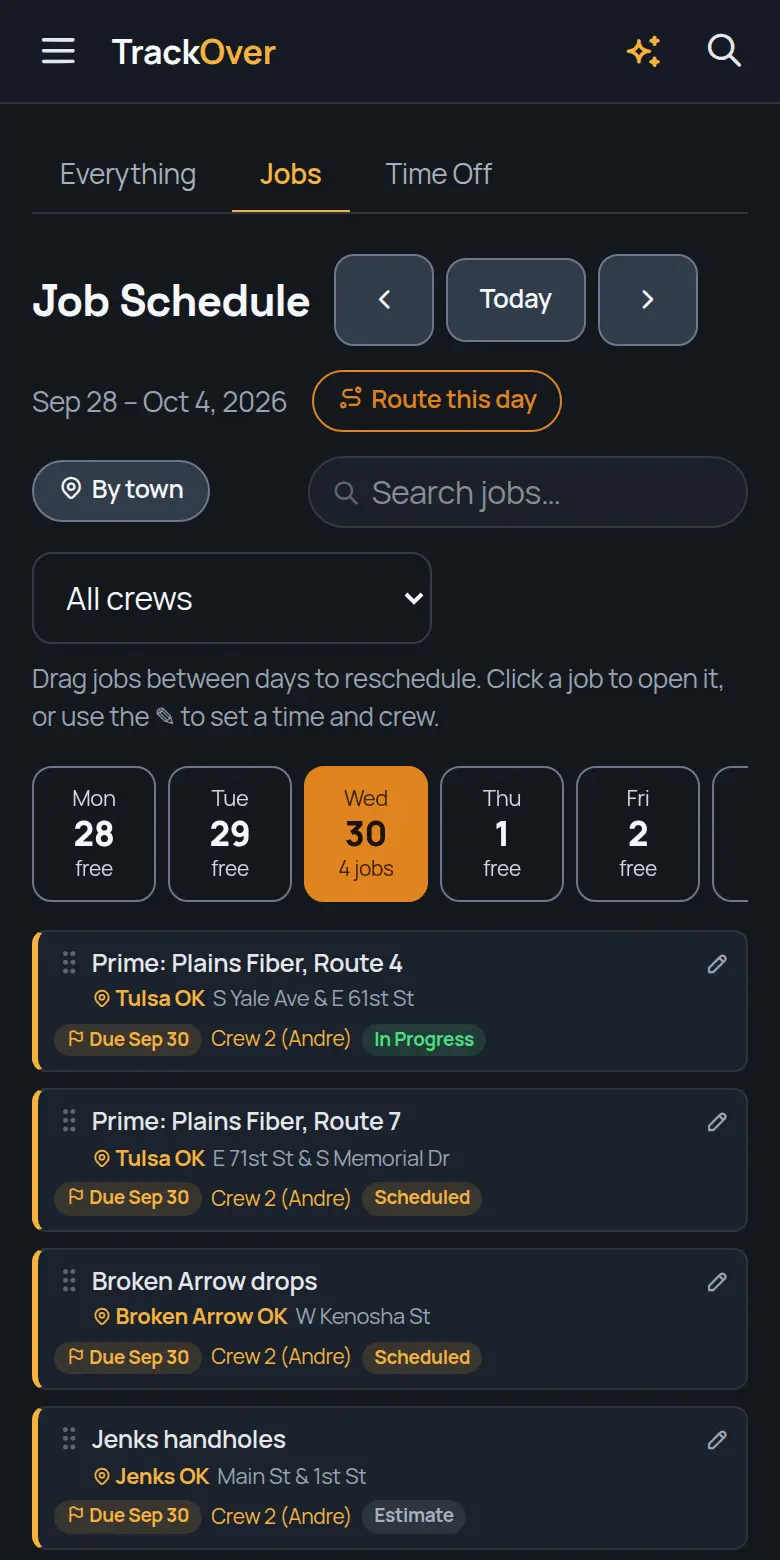
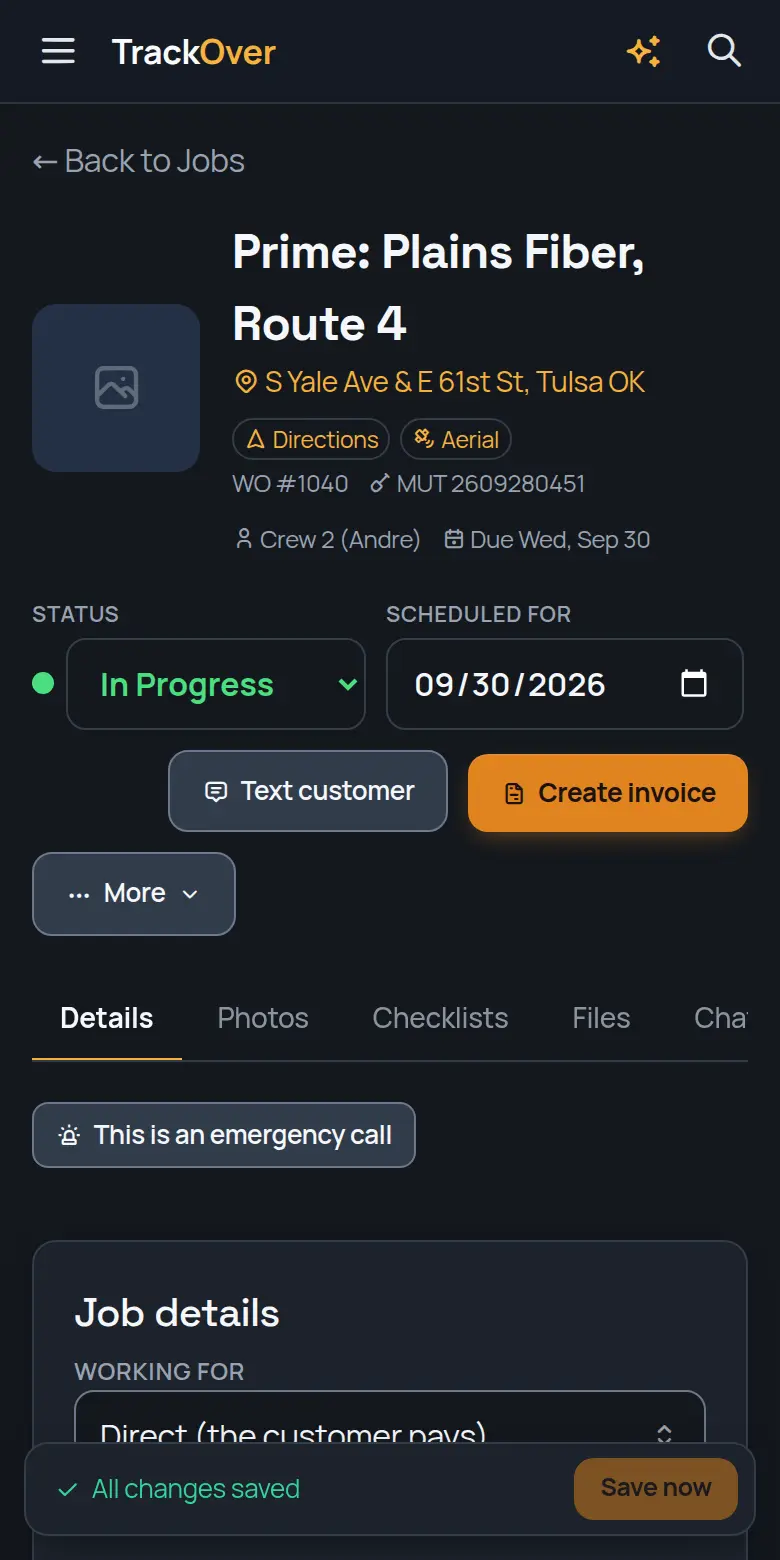
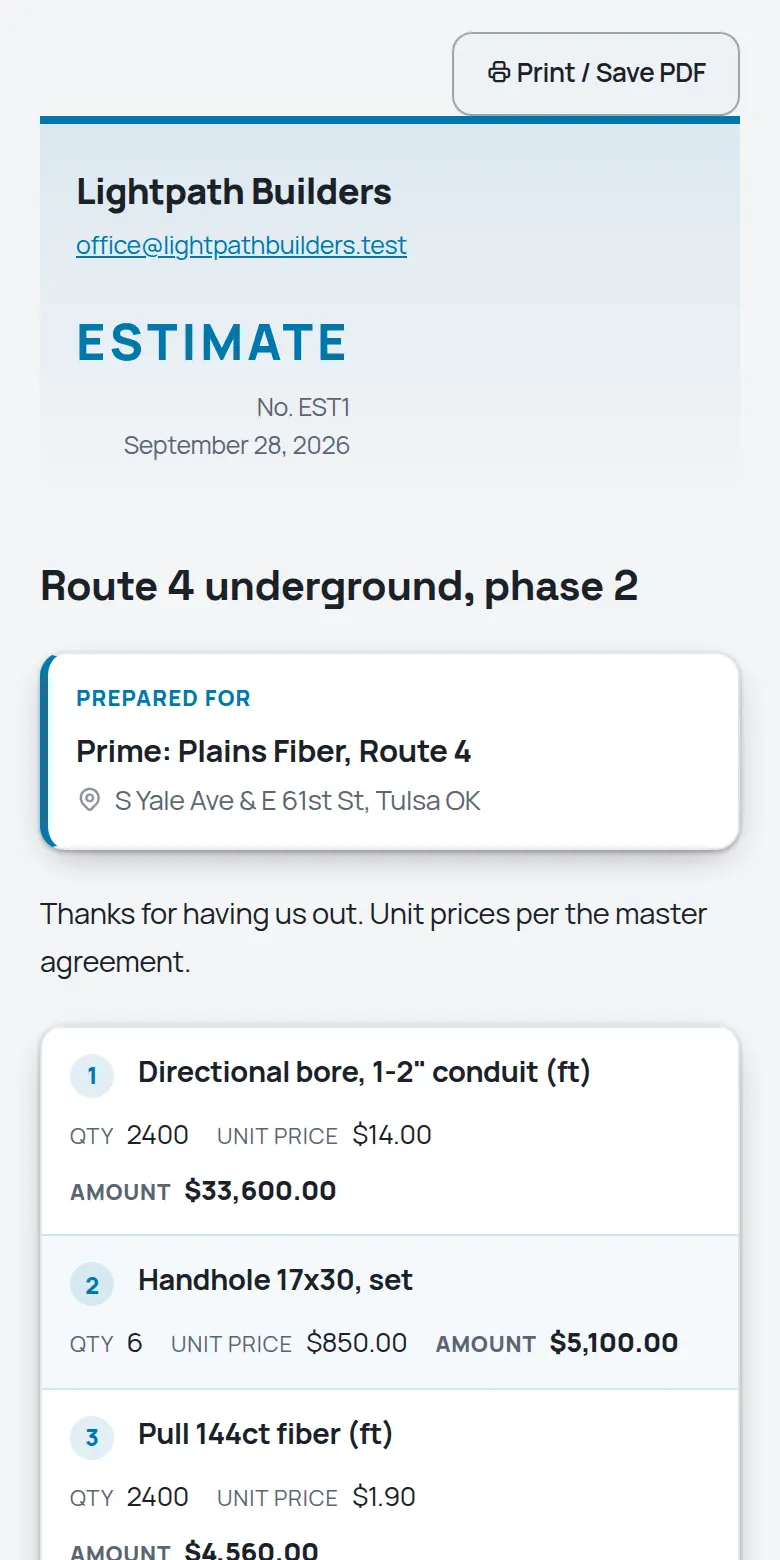
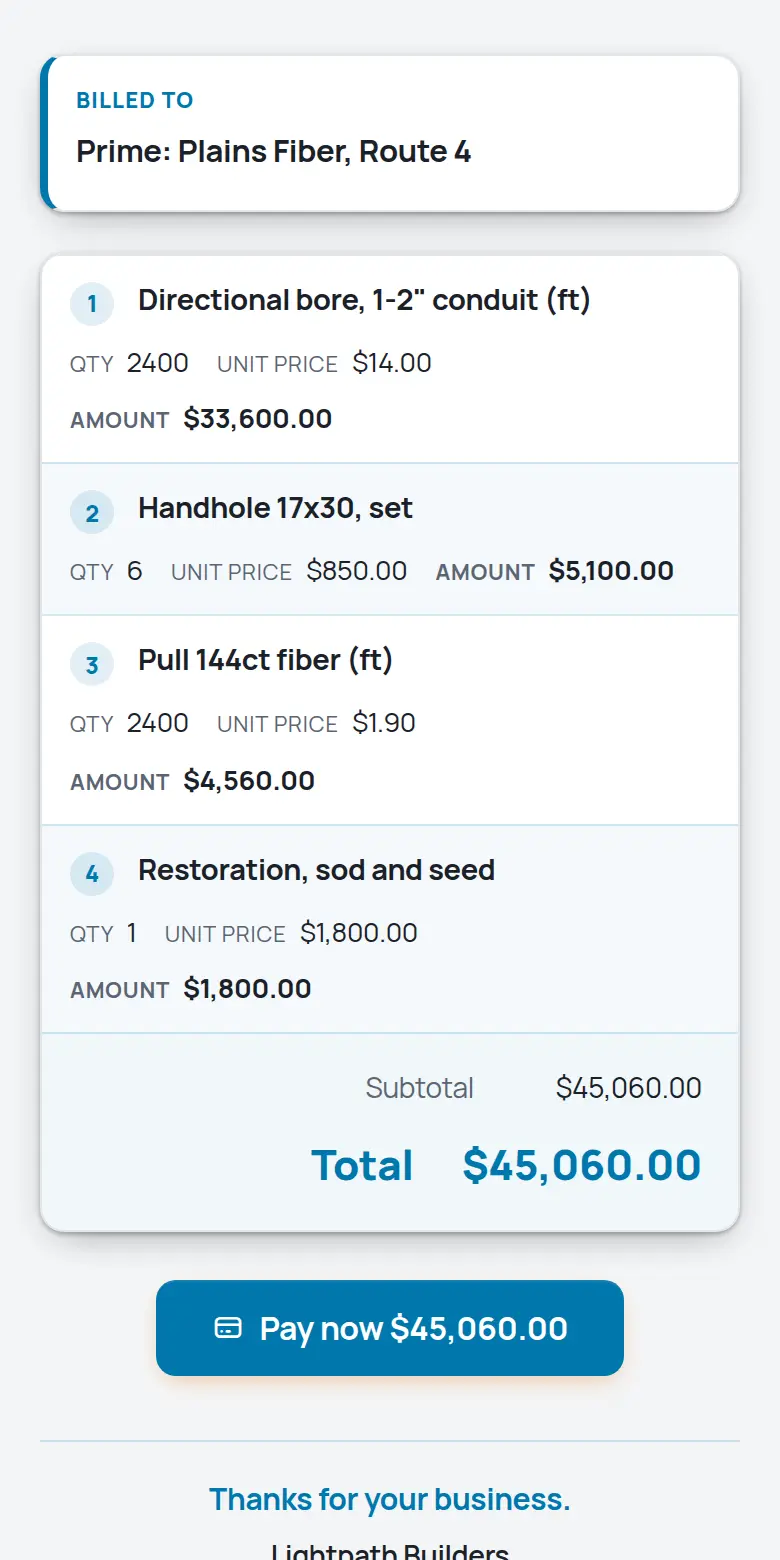
Real screens from the TrackOver app, with a sample company's jobs.
Locates, permits, photos, estimates and invoices are in the core app. Footage by project, the design map, splice and bore records, and the live link for the prime are UtilityOps, a separate add-on you can try free during the trial. Free plan at $0 with no card, then $25, $45 or $69 per user per month with a 3-seat minimum and a 7-day trial.
What you say on a bad day
The problem, and the screen that fixes it
“The carrier keeps calling to ask where we are.”
Each project carries its contracted footage. You see feet placed, percent done, your pace over the last working days and a projected finish against the target date. Send the prime a read-only link that shows built against remaining on the map, footage placed and structures in, and refreshes on its own.
It takes: UtilityOps add-on
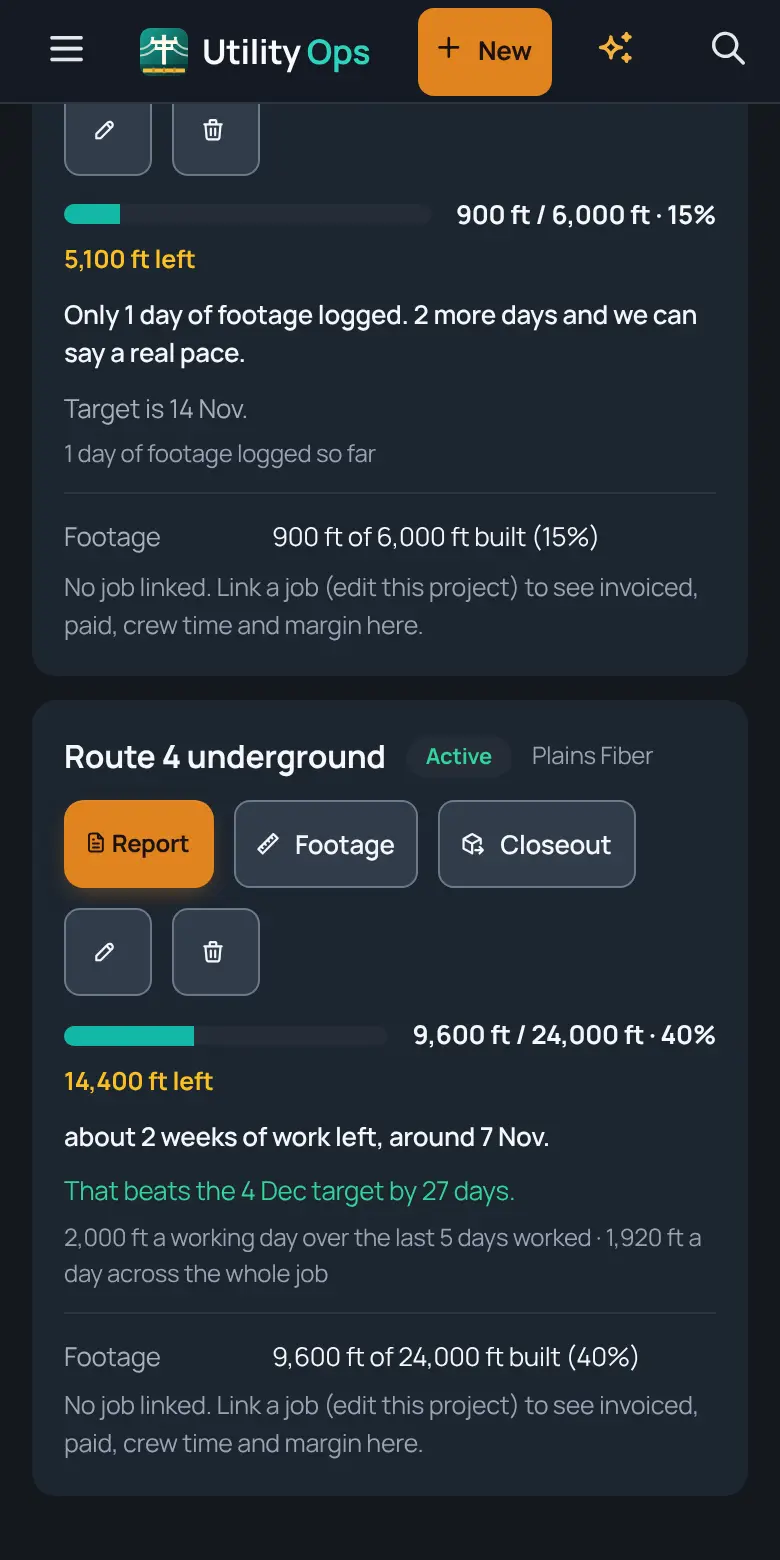
Footage against the contract, with a finish date “The footage is in four group texts.”
Log footage by day, crew and method (boring, trenching, plowing and more) and tie it to the project. The dashboard totals the last 7 and 30 days and each crew's feet, and exports to CSV.
It takes: UtilityOps add-on
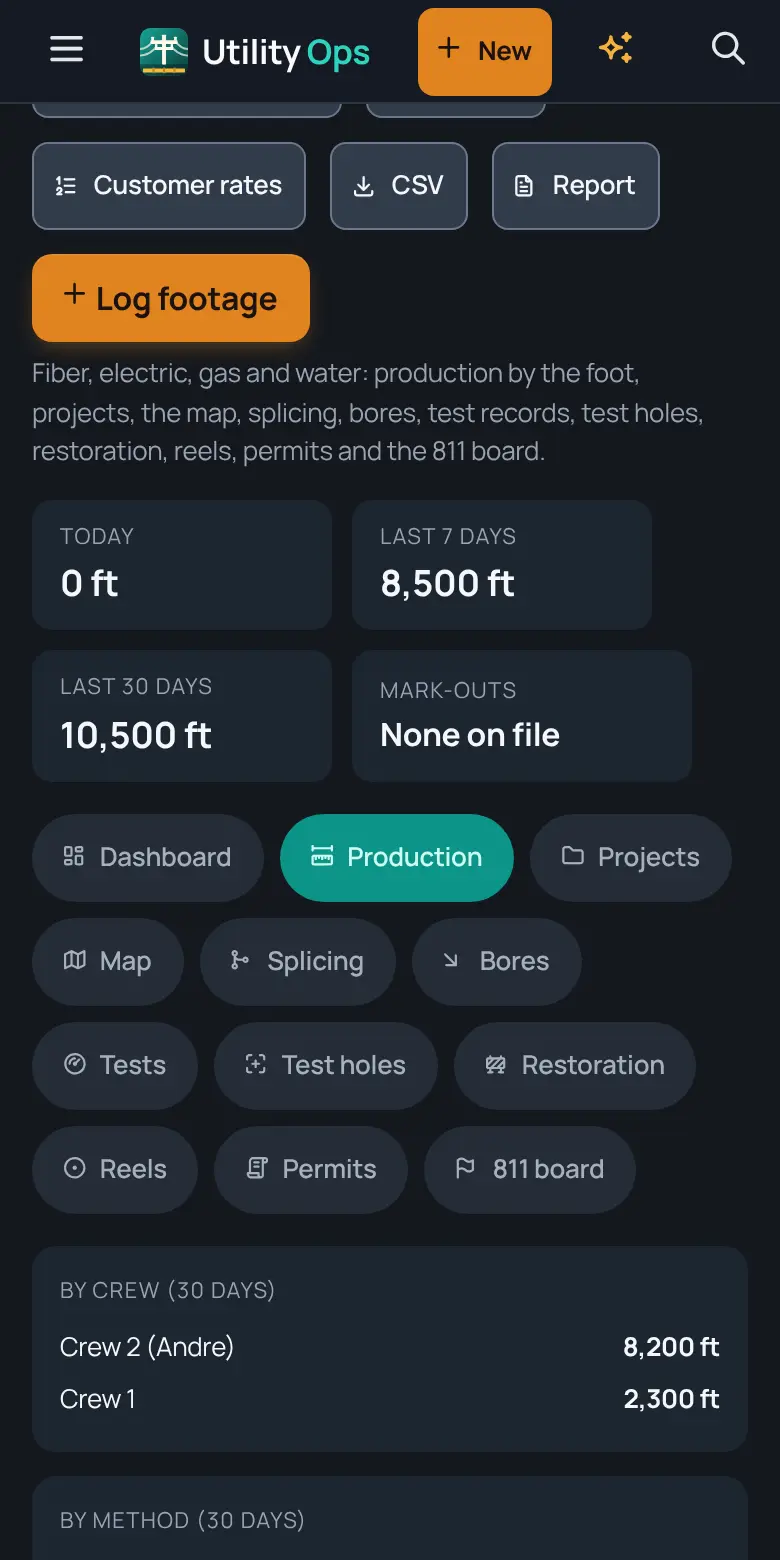
Feet by day and by crew “Was the locate refreshed before Monday's shot?”
Put the ticket number and mark-out date on the job. The expiry date fills in from the mark-out date, the job says how many days are left, and it checks that every utility has answered before it says Ready to dig.
It takes: Free plan. The all-jobs 811 board is part of the UtilityOps add-on
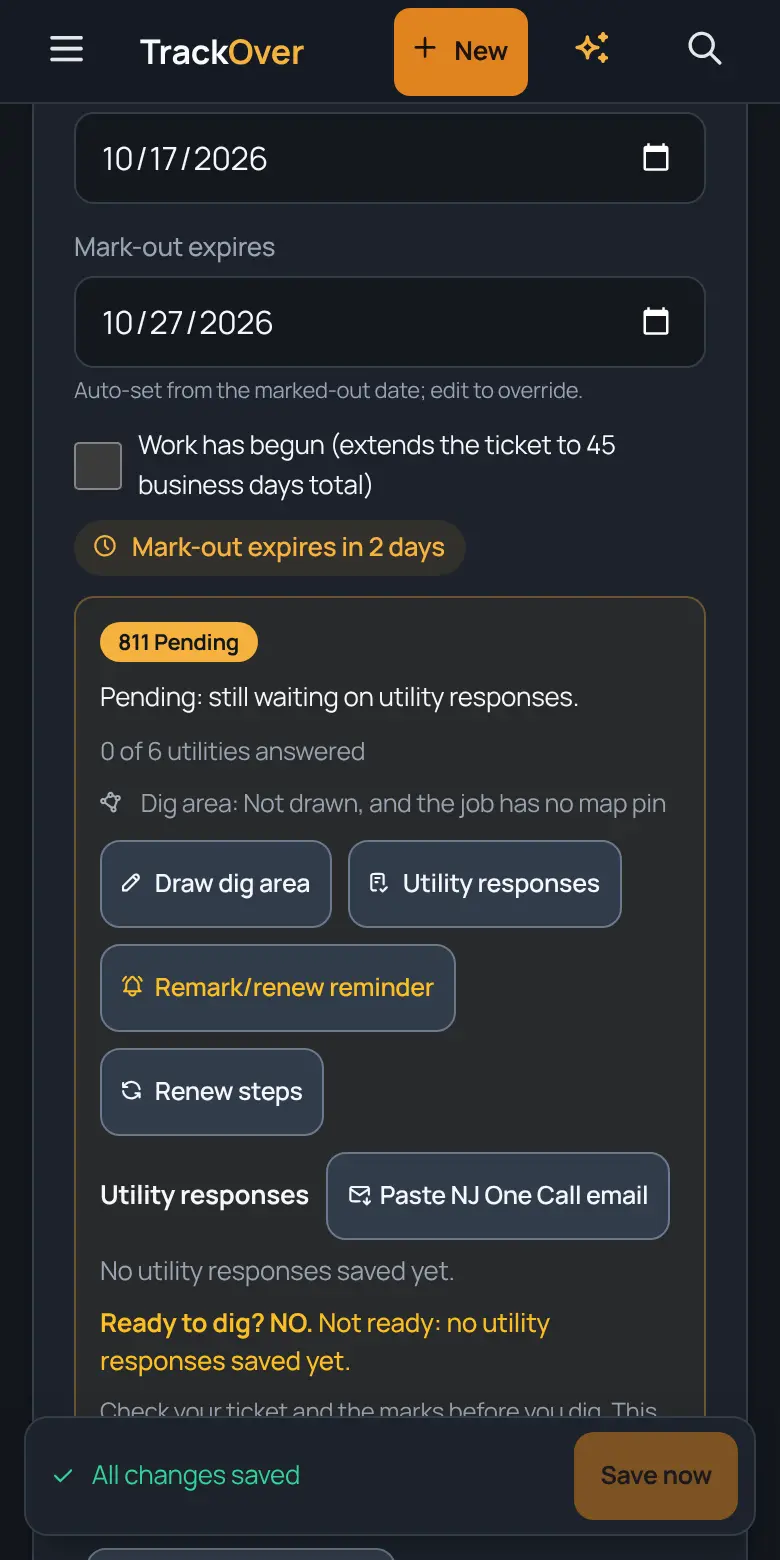
The ticket, with days left “The prime wants a closeout package by Friday.”
Closeout on a project builds one zip: its footage, bores, splices, tests, permits, reels and restoration records, each as a CSV, with a summary on top.
It takes: UtilityOps add-on
- No card to start
- Cancel any time, no contract
- Export your data whenever you want
What changes for fiber crews
Customers pay from a text
Build the invoice from the job's hours and materials, text a link, and they pay from their phone. Overdue invoices get a reminder text for you, to customers who have agreed to texts.
Send the quote from the job site
Price it from your own price book on your phone. The customer signs online, and it turns into the job and invoice with no retyping.
Know your profit on every job
Quote against labor and materials used so far, live, with a warning when a job is on pace to run over.
- No card to start
- Cancel any time, no contract
- Export your data whenever you want
Sound like last week?
- “The carrier keeps calling to ask where we are”
- “The footage is in four group texts”
- “The prime wants a closeout package by Friday”
What it does for your crew
The same platform in the office and on every phone in the field.
- Your design file as a mapUpload the engineering KMZ or KML and the route draws on the map. Crews mark runs built from the field. UtilityOps add-on.
- Footage against the contractPlaced feet, percent, pace and a projected finish per project. UtilityOps add-on.
- A live link for the primeRead-only built-against-remaining map, footage placed and structures in. UtilityOps add-on.
- Closeout in one downloadFootage, bores, splices, tests, permits, reels and restoration as CSVs in one zip. UtilityOps add-on.
- Stamped photosEvery camera photo keeps its location and time. Core app. On the route map, UtilityOps lets you attach a photo to the run or structure it belongs to.
What it costs
What a crew pays, with the math shown
An example crew of 6 (you, a locator and four on the bore and pull crews) for fiber and telecom construction crews. You pay per person who logs in, with a 3-seat minimum.
- Pro$150 a month6 x $25Has every screen above
- Premium$270 a month6 x $45
- Elite$414 a month6 x $69
UtilityOps is a separate add-on, included free for the length of the trial. After the trial you choose whether to add it. There is also a Free plan (3 jobs, 30 photos, 3 users). No contract, and you can change plans anytime.
Your math
What does a slow week cost you?
Late invoices and paperwork nights have a price. Put in your own numbers.
Type your own numbers. They stay in your browser, nothing is sent anywhere.
From the first call to the last dollar
- 1
The call comes in
Add it as a job in a minute: address, contact, what they need.
- 2
The board gets it scheduled
Drag it onto a day and a crew. Their phones pick it up within a minute when the app is open and they have signal.
- 3
The field documents itself
Stamped photos, hours, and notes land on the job as the work happens.
- 4
The invoice goes out in one tap
One tap turns the finished job into an invoice with a pay link.
What we can honestly show you
- Every screen on this page is the real app, filled with a made-up sample company. None of those names, jobs or prices belong to a real customer.
- TrackOver's screens are laid out around a real job, from quote to paid invoice, not a design file.
- We do not print customer quotes we do not have. Try it on one of your own jobs, or book a free 30-minute call and a real person sets it up with you.
Fair questions
Is UtilityOps included?
UtilityOps is coming soon and is not on general sale yet. During the 7-day trial you can use it on your own jobs. After the trial it locks, and nothing you entered is deleted. The rest of TrackOver keeps working on any plan either way.
Can it handle KMZ and KML files?
Yes, in UtilityOps. Upload the design file once and TrackOver redraws it as a map your whole company can read, with bores, handholes, splices and drops sorted by type and layers you can toggle. Crews tap a run to mark it built, and the footage logs itself.
What about per-footage billing?
Estimate and invoice lines are fully custom, so footage rates, vault sets and restoration items price the way your contract reads. Estimates and invoices are Pro and up. Sub crews can be paid per unit too: each sub crew's footage and structures at their own rates for any period, next to what you bill for the same work.
Does it work with bad signal?
Yes. Photos, notes, job status changes, hours and forms save on the phone and send themselves when signal comes back, so a dead spot loses nothing. A cloud icon shows how many items are still waiting. Just do not sign out or delete the app while items are waiting. Some screens still need a signal: estimates, invoices and the office screens load and save online.
We keep our books in QuickBooks. Will this mess with them?
No. The QuickBooks connection starts import-only: TrackOver reads from QuickBooks and never writes, edits or deletes anything there. Sending invoices is off until the owner turns it on and confirms a preview of exactly what will go.
What does it cost?
Plans are per person per month: Pro $25, Premium $45, Elite $69, with a 3-seat minimum. There is also a Free plan with 3 jobs, 30 photos and 3 users that needs no credit card and does not expire. Plans are billed monthly with no annual contract, and you can change them whenever the season changes. UtilityOps is priced separately when it goes on sale.
What happens when the 7-day trial ends?
Nothing is charged, because no card was asked for. If you don't pick a paid plan, the account moves to the free plan and your jobs and photos stay where they are. Paid features go back to showing an upgrade prompt, and the owner or a manager can pick a plan on the Billing page whenever they are ready.
Can someone set it up with me?
Yes. Book a free 30-minute setup call and we set up your company and price list with you, and your first real estimate goes out before we hang up. You can also start on your own, since the app has a getting-set-up checklist, so the call is optional.
Tonight could be different
Try it on one real job: add it, snap some photos, send the invoice, and see if your crew likes it. 7 days free, and your data stays yours either way.
Start your 7-day free trial- No card to start
- Cancel any time, no contract
- Export your data whenever you want
Want a hand? A real person sets it up with you on a free 30-minute call.
On day 8 nothing is charged, because no card was asked for. Without a paid plan the account moves to Free (3 jobs, 30 photos, 3 users) and what you entered stays.
Free calculators for fiber work:
Free templates for fiber work:
Looking for fiber work or a crew? Free on the work board:
Trade shows for fiber work, from the contractor calendar:
Dig into the tools:
Setup how-tos, step by step:
Comparing software? Fair comparisons, with each tool's own pricing page linked:
Not sure fiber is your fit? Take the 5-question quiz or see plans and pricing.
Related trades:
Other trades we build for: