For contractors and their crews
It's 9pm. Why are you still chasing invoices?
Send the estimate from your phone. Let customers pay from a text. See which jobs made money while you can still fix the ones that didn't. Built inside a working field company, by people who lived the paperwork.
- No card to start
- Cancel any time, no contract
- Export your data whenever you want
Built inside a working field company. Read our story or book a free 30-minute call.
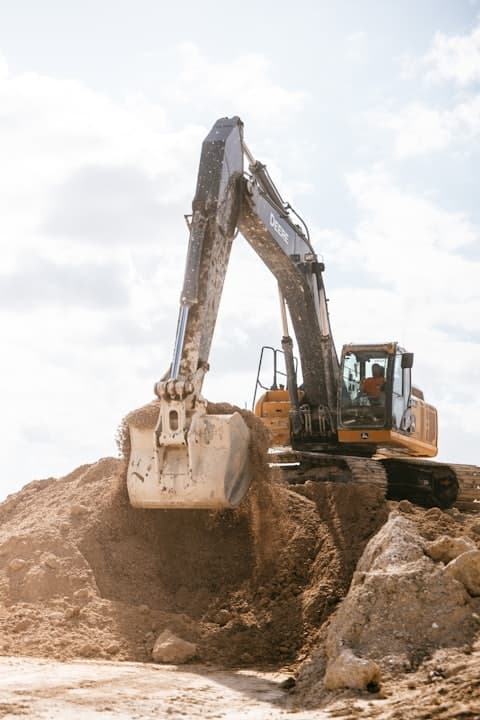 7:41 AM · GPS · Miller Ln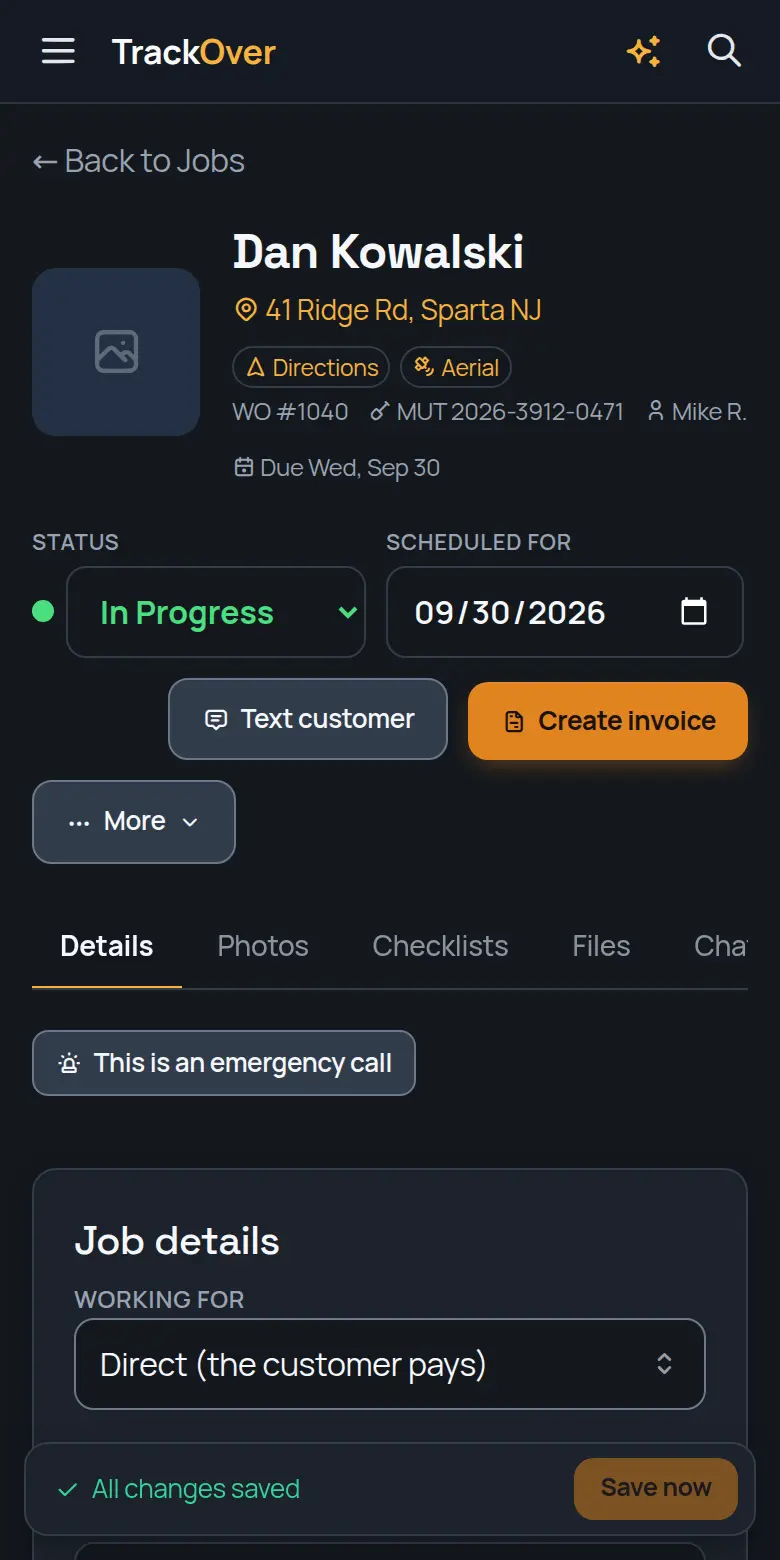
Sound like your week?
“Chasing invoices at 9pm.”
Customers pay from a text. You stop chasing.
Hours and materials are already on the job, so the invoice is built before you sit down. Text the customer a link and they pay from their phone. If an invoice goes late, the reminders go out on their own.
- Card and bank payments online, on Pro and up
- Automatic reminders on overdue invoices
- Pay link by text, straight from the job
- No card to start
- Cancel any time, no contract
- Export your data whenever you want
“Lost a job because the quote took three days.”
Quote it from the yard, while they're still on the phone.
Build the estimate from your own price book on your phone, send it, and the customer signs online. When it's won, the estimate becomes the job and the invoice with no retyping.
- Your own price book, your own prices
- Signed online by the customer
- Follow-ups go out when a quote goes quiet
- No card to start
- Cancel any time, no contract
- Export your data whenever you want
“Paper timesheets and Sunday-night guessing.”
Crew hours land on the job by themselves.
Crews clock in and out from their phones. The hours sync to the office and land on the job, ready for payroll. On Elite, the crew map shows who is on the clock and where.
- Timesheets on Premium and up
- Live crew map and route planner on Elite
- Flags a crew still clocked in far from the job
- No card to start
- Cancel any time, no contract
- Export your data whenever you want
“No idea which jobs actually made money.”
Know your profit on a job while you can still fix it.
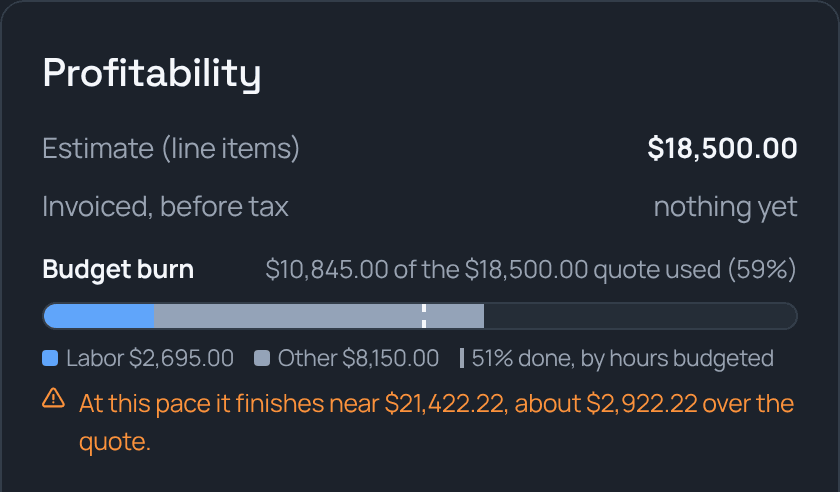
Every job shows the quote against labor and materials used so far, and where it is on pace to finish. No spreadsheet at the end of the month.
- Budget burn against the estimate, live
- Labor from real clock-ins, not guesses
- A plain warning when a job is on pace to run over
- No card to start
- Cancel any time, no contract
- Export your data whenever you want
Your math
What does a slow week cost you?
Late invoices and paperwork nights have a price. Put in your own numbers and see it.
Type your own numbers. They stay in your browser, nothing is sent anywhere.
Job photos
Every photo stamped with the time and place.
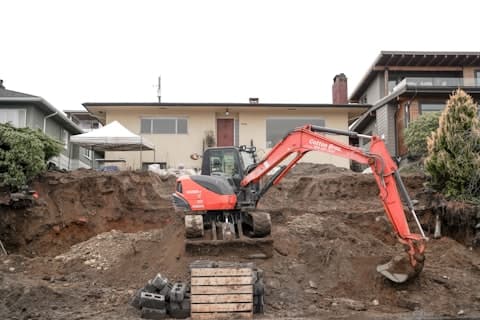
Shot on the clock, saved to your company account instead of someone's camera roll. If a crew member leaves, their photos stay with you. Mark up an as-built right on the photo.

Getting started
Try it on one real job this week
- 1
Sign up
7-day trial, no card. Nothing to install in the office.
- 2
Add a job, invite your crew
Same day. The phone app walks them through the rest.
- 3
Send your first estimate
On your own, or on a free 30-minute call where we do it with you.
- No card to start
- Cancel any time, no contract
- Export your data whenever you want
Find your trade
Set up for the work you do
Free, no signup
Field calculators the whole trade uses
Directional drilling, fiber builds, pipe and material math, free and open, from the crew that builds the software. No login, no catch.
Made by contractors
We ran a small contracting business buried in a stack of apps. One day we'd had enough, so we built TrackOver instead.The people behind TrackOver, still contractors at heart. Read our story
Pricing
Priced for a crew, not a corporation
Per user, three-seat minimum, so the smallest paid bill is $75 a month. Every paid plan starts with a 7-day free trial and no card. Run solo and the other seats just sit open.
Free
$0, no card, no expiry. Run 3 jobs free, as long as you like, and see if it fits.
- Up to 3 jobs
- 30 photos
- 3 users (you + 2 crew)
- Try Receipts, Equipment & Safety (3 each)
- Preview every paid feature
No card, no expiry
Pro
$75 a month for a crew of 3, about $2.50 a day. Customers pay by card or bank from a text.
- Unlimited jobs & photos
- Team messaging
- Full Safety, CRM & Receipts
- Full Equipment tracking
- Take card & bank payments online
No card needed. Cancel any time.
Premium
$135 a month for a crew of 3, about $4.50 a day. Hours land on the job, ready for payroll.
- Everything in Pro
- Time keeping & timesheets
- As-built markup & customer galleries
- Video & LiDAR capture
No card needed. Cancel any time.
Elite
$207 a month for a crew of 3, about $6.90 a day. See every crew live and never miss a call.
- Everything in Premium
- Live crew GPS map: see every crew in real time
- Job map & pinpointing
- Route planner: shortest run to every job
- AI assistant & a phone line that answers missed calls
- Calling from the app & custom branding
- Webhooks to Zapier & your tools, priority support
No card needed. Cancel any time.
Enterprise
Running 50 or more? We build it around you.
Central control across branches, crews and offices. Everything in Elite, plus enterprise-only tools and a team that sets it all up with you. Custom pricing for teams of 50+.
Talk to sales- A corporate portal to manage every branch and crew from one account
- Single sign-on for your whole company
- Onboarding, setup, and crew training tailored to how you run
- Priority support
- First look at new Ops apps before anyone else
- A dedicated account manager who knows your operation
Want to see it first?
Book a free 30-minute demo.
We load a full sample company so you see everything, not just the free plan's 3 jobs, and we set up your first job with you. Prefer the longer form?
Questions
What contractors ask us
We run on paper and group texts. How painful is the switch?
Sign up, add a job and invite your crew the same day. Nothing to install in the office. There is a Getting set up checklist inside, and a free 30-minute call where we set it up with you and send your first real estimate together. Customers, jobs and your price book come in from a CSV file or QuickBooks Online, and the import can be undone in one click. Moving off ClockShark, CompanyCam or a shared spreadsheet? Talk to us and we do it with you.
My crew is not techy. Will they use it?
The crew app is built for a job site: clock in, take photos, see today's jobs. Crews see their own day and nothing else, and the phone app walks them through the rest. Photos and hours are saved on the phone when there is no signal and sync when it comes back.
Am I locked into a contract?
No. Plans are billed monthly, and the account owner can cancel from the Billing page without calling anyone. You keep your plan until the end of the period you paid for. Change plans or drop seats in the off season whenever you want.
Whose data is it if I leave?
Yours. You can export customers, jobs, invoices, timesheets, expenses and payments as CSV files any time, and the owner is emailed a full export when an account is cancelled. Photos stay in your company account, so a crew member who quits takes none of them with them.
What if it's just me right now?
Plans start at three seats. Run solo today and two of those seats sit open until you want them. Bring on a hand, a sub, or someone in the office and drop them in whenever. Leave them empty for a year if that's how it goes. You are not paying extra to have room to grow.
How long do you keep my photos and data?
As long as you are with us, we keep all of it, organized right where you left it. If you ever decide to leave, export everything before you go. Nothing gets held hostage.
Will this fill up my phone?
No. Photos go straight to the cloud instead of your camera roll, so a full day on site does not clog your phone or your personal photos.
Is my data safe?
We take it seriously. It is encrypted on the way to our servers and at rest, and every company's data is walled off from every other by the database itself. Photos and job records live in your company account, not on the phone, so a lost or cracked phone does not take a job with it. The details are on our security page.
Do the measuring and video tools need a special phone?
LiDAR measurements need one phone or tablet on your team with a LiDAR sensor. Once that device takes a LiDAR photo, anyone on any device can pull measurements from it later. Everyday photos and video work on the regular mobile app.
What if I run more than 50 people?
That is what our Enterprise plan is for. You get everything in Elite plus central account control, single sign-on, tailored onboarding, and a dedicated account manager. Talk to sales and we build it around your operation.
One account, an app for every trade
Run one trade in summer and another in winter
Every TrackOver product shares the same core: your customers, sites and crew. Own one app, add another for an affordable upgrade.
- TrackOverAvailable nowContractors and field crews. Jobs, photos, time, maps, as-builts, and customer galleries. One app for the whole crew.
- SnowOpsComing soonSnow & Ice Management. Track storms, materials, per-site triggers, and whether each storm actually made money. Your TrackOver data comes with you.
- LawnOpsComing soonLawn & Landscape. Routes, crews, recurring services, and property history for lawn and landscape. Same customers as SnowOps, opposite season.
- UtilityOpsComing soonTelecom, Electric, Gas & Water Utility Construction. Footage, test records, locates, permits and as-builts for gas, electric and fiber crews working for the utility or the prime.
- PavingOpsComing soonPaving & Asphalt. Quote the lot from the satellite, check every plant ticket against the plant's bill, and see what each job really cost, labor included. Built for asphalt the way TrackOver is built for dirt.
- RoofingOpsComing soonRoofing. Every roof from first knock to final check: claim numbers on the job, a board that shows what's stuck, and an order list straight from your measurements.
Tonight could be different.
Try it on one real job this week. If it isn't for you, you land on the free plan and keep your work. Every week you wait is another week of the same paperwork.
- No card to start
- Cancel any time, no contract
- Export your data whenever you want
Want a hand? A real person sets it up with you on a free 30-minute call.
Questions first? Email us and a real person writes back.