TrackOver for street and utility restoration contractors
Restoration software that flags overdue permanent patches
A permanent patch slipped past its date and the permit is at risk.
Log each street cut, stamp the temp and permanent patch, and see what is overdue before the town does.
Free plan, or from $25 a user a month. 7-day trial, no card. See prices
- No card to start
- Cancel any time, no contract
- Export your data whenever you want
Made for the field, with real jobs, crews and equipment in mind. Book a free 30-minute call and we set it up with you.
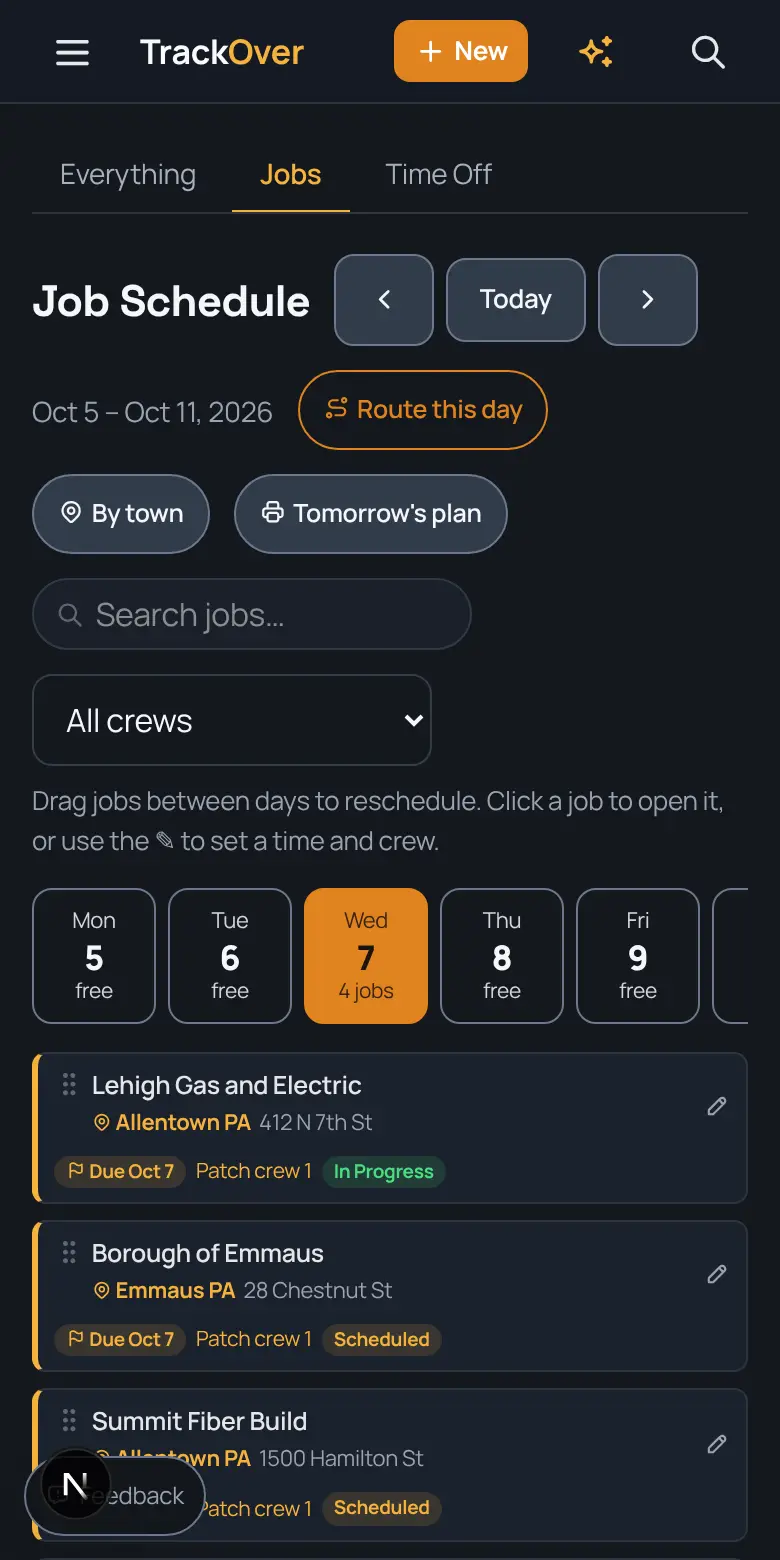
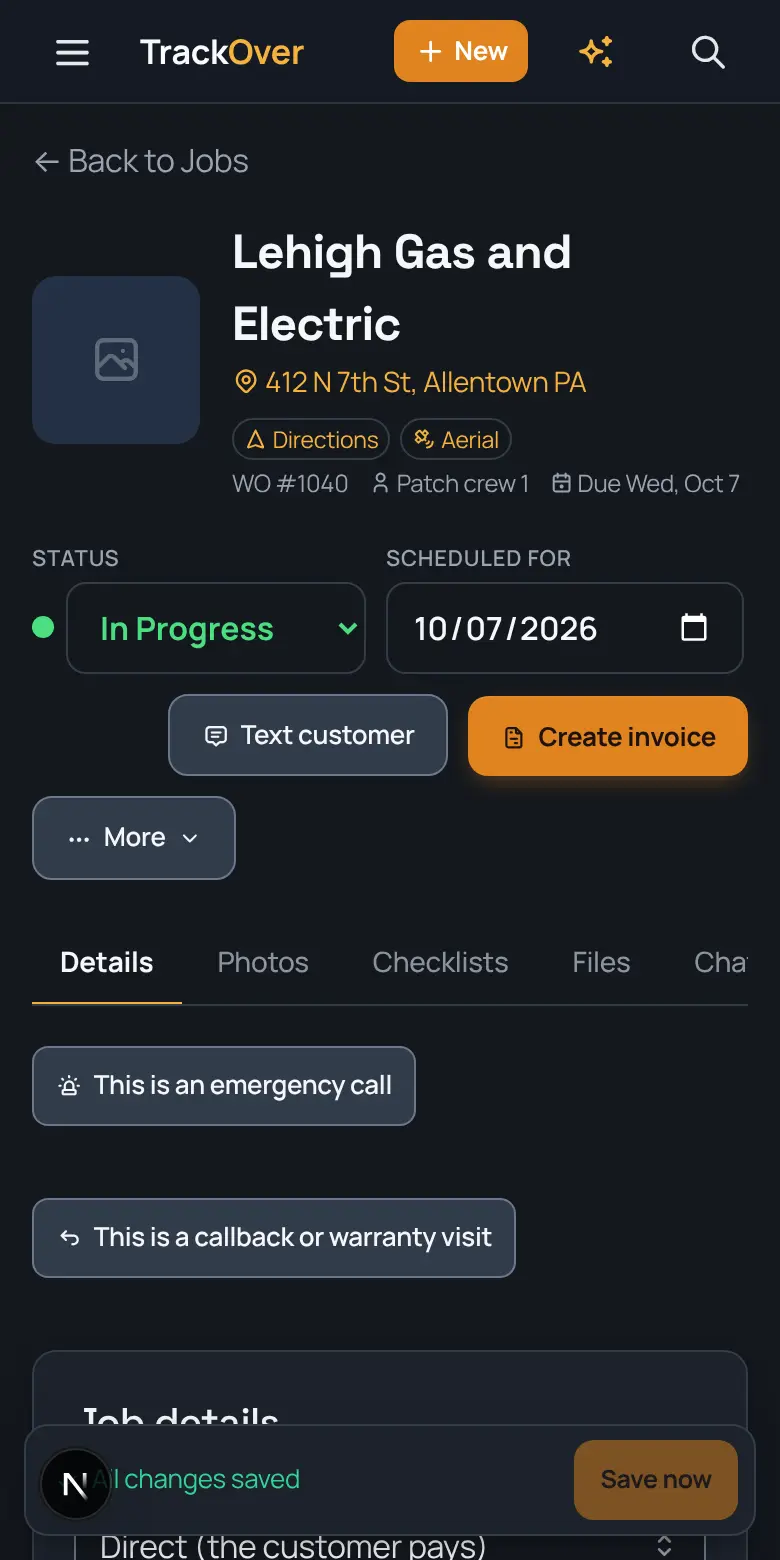
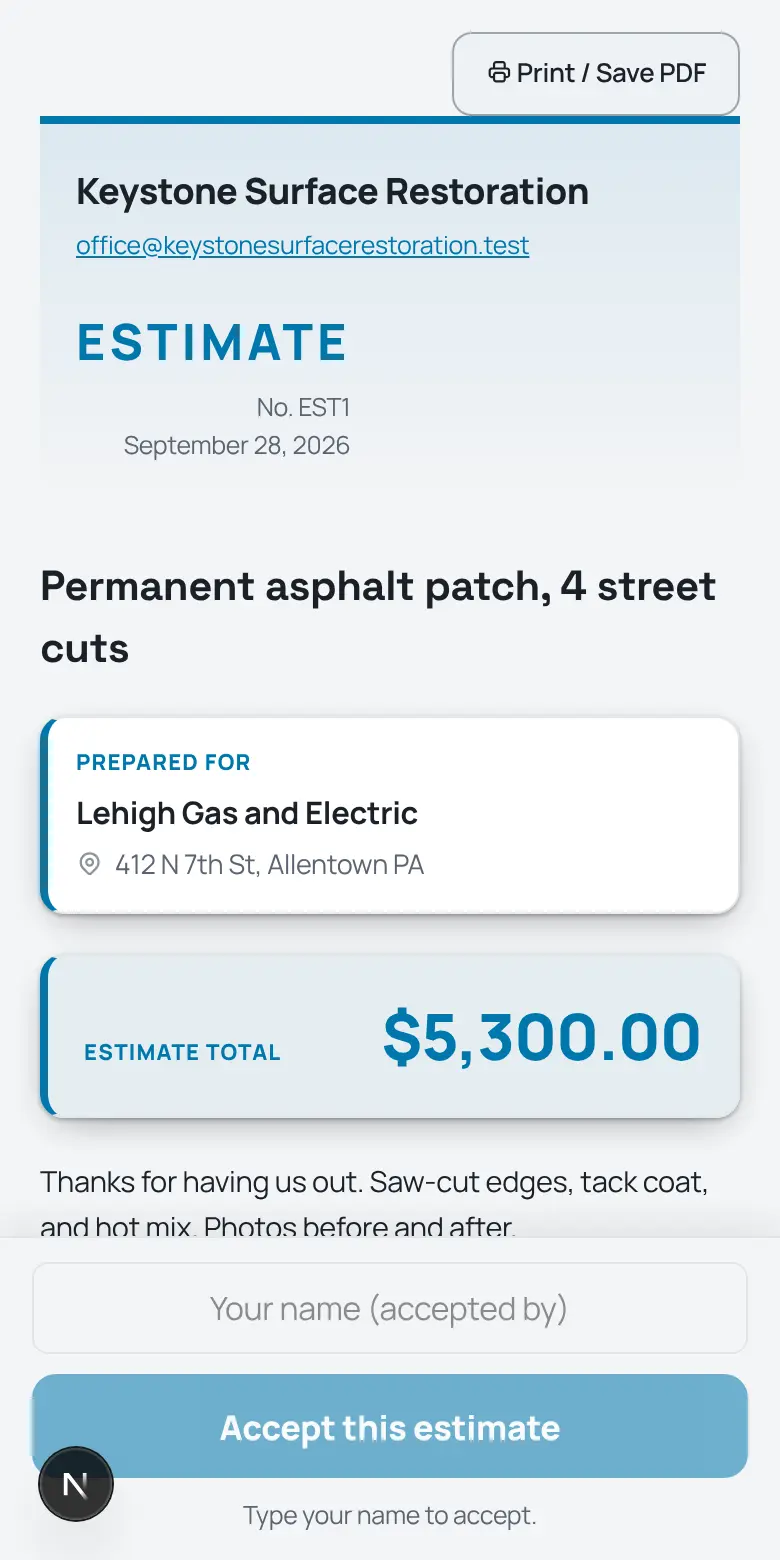
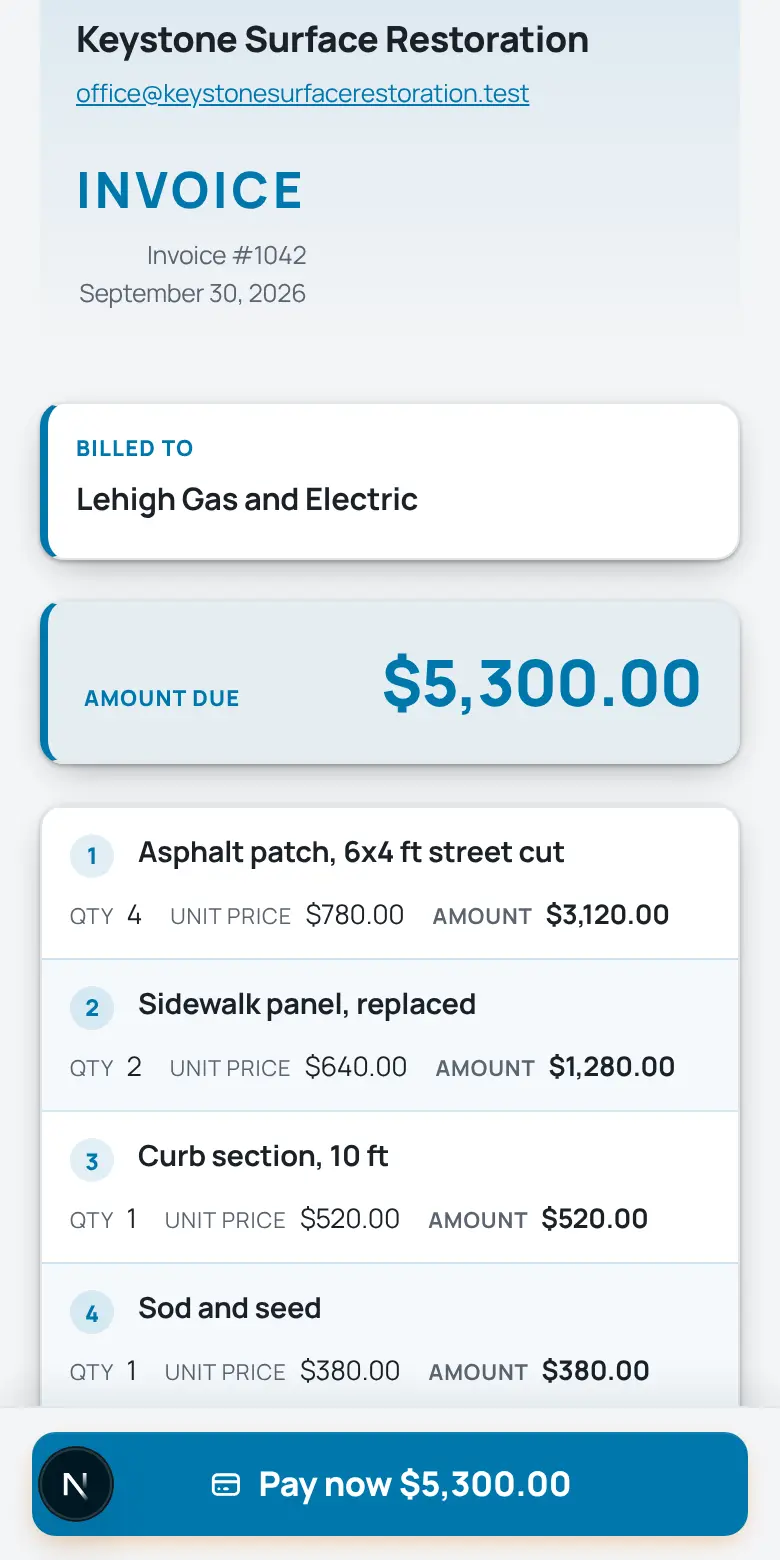
Real screens from the TrackOver app, with a sample company's jobs.
Every street cut has a temp patch and a permanent patch due by a date. TrackOver keeps each open hole, its due date, and the photos in one list, so the town never has to call you. Restoration tracking is coming soon. Free plan at $0 with no card, then $25, $45 or $69 per user per month with a 3-seat minimum and a 7-day trial.
What you say on a bad day
The problem, and the screen that fixes it
“I cannot tell you which cuts are still open.”
Each street cut is logged with its surface, size and the date it was opened, and shows as open, temp patched or restored.
It takes: UtilityOps add-on
“A permanent patch is past the date the town gave us.”
Enter the permanent restoration date on each cut. Overdue cuts sort to the top of the list, and the ones due in the next 7 days are counted, so you see them before the town calls.
It takes: UtilityOps add-on
“The town wants proof and the photos are on six phones.”
Before, during and after photos are stamped with time and location and filed on the job. When an inspector asks, download the restoration log as a CSV.
It takes: Photos work on every plan; the log is the UtilityOps add-on
- No card to start
- Cancel any time, no contract
- Export your data whenever you want
What changes for restoration crews
Customers pay from a text
Build the invoice from the job's hours and materials, text a link, and they pay from their phone. Overdue invoices get a reminder text for you, to customers who have agreed to texts.
Send the quote from the job site
Price it from your own price book on your phone. The customer signs online, and it turns into the job and invoice with no retyping.
Know your profit on every job
Quote against labor and materials used so far, live, with a warning when a job is on pace to run over.
- No card to start
- Cancel any time, no contract
- Export your data whenever you want
Sound like last week?
- “A permanent patch slipped past its date and the permit is at risk”
- “Nobody can say which cuts are still open or only temp patched”
- “The town wants proof and the photos are scattered across phones”
What it does for your crew
The same platform in the office and on every phone in the field.
- A log of every open cutWhere it is, the surface (asphalt, concrete, sidewalk, curb, lawn, gravel), the size, and the date it was opened. Each shows as open, temp patched, or restored.
- Due dates that sort themselvesSet the permanent restoration date the town gave you. Overdue cuts rise to the top, and the ones due in the next 7 days are counted.
- Stamp it done from the fieldOne tap marks the temp patch placed or the permanent restoration finished today. The office sees it without a call.
- Photos that settle itBefore, during, and after, stamped with time and location and filed on the job.
- Export for the town or utilityDownload the restoration log as a CSV when an inspector or the utility asks what was opened and when it was fixed.
- Estimate, schedule, and invoiceQuote from your price book, put crews on the board, track their hours, and bill the finished work from the same job.
What it costs
What a crew pays, with the math shown
An example crew of 3 (you and two on the restoration crew) for street and utility restoration contractors. You pay per person who logs in, with a 3-seat minimum.
- Pro$75 a month3 x $25Has every screen above
- Premium$135 a month3 x $45
- Elite$207 a month3 x $69
UtilityOps is a separate add-on, included free for the length of the trial. After the trial you choose whether to add it. There is also a Free plan (3 jobs, 30 photos, 3 users). No contract, and you can change plans anytime.
Your math
What does a slow week cost you?
Late invoices and paperwork nights have a price. Put in your own numbers.
Type your own numbers. They stay in your browser, nothing is sent anywhere.
From the first call to the last dollar
- 1
The call comes in
Add it as a job in a minute: address, contact, what they need.
- 2
The board gets it scheduled
Drag it onto a day and a crew. Their phones pick it up within a minute when the app is open and they have signal.
- 3
The field documents itself
Stamped photos, hours, and notes land on the job as the work happens.
- 4
The invoice goes out in one tap
One tap turns the finished job into an invoice with a pay link.
What we can honestly show you
- Every screen on this page is the real app, filled with a made-up sample company. None of those names, jobs or prices belong to a real customer.
- TrackOver's screens are laid out around a real job, from quote to paid invoice, not a design file.
- We do not print customer quotes we do not have. Try it on one of your own jobs, or book a free 30-minute call and a real person sets it up with you.
Fair questions
Is this for water damage restoration?
No. This page is for crews that restore pavement, sidewalk, curb and lawn after a trench or street cut. It logs each open cut with its surface, size and the date it was opened, and tracks it from open to temp patched to restored, so nothing is forgotten after the trench closes.
Can I tie cuts to a project?
Yes. Each excavation can be attached to a project, so one list shows where a job stands. Due dates sort themselves: set the permanent restoration date the town gave you, and overdue cuts rise to the top, with the ones due in the next 7 days counted.
How do I prove a cut was restored?
Before, during and after photos are stamped with time and location and filed on the job, and one tap in the field marks the temp patch placed or the permanent restoration done today. You can export the restoration log as a CSV when an inspector or the utility asks.
Do the crews need anything special?
No. It runs on the phones they already carry: one tap marks a cut done, photos are stamped automatically, and the office sees it without a call. Photos and time entries save on the phone and sync when signal returns, so a dead zone loses nothing.
Is the street cut log included?
The street cut log is part of UtilityOps, a separate add-on that is coming soon and not on general sale yet. During the 7-day trial you can use it on your own cuts. After the trial it locks, and nothing you entered is deleted. Photos, estimates and invoices are in the core app.
What does it cost?
Start free: the free plan costs nothing, needs no credit card and does not expire. Paid plans are per user per month with a 3-seat minimum, billed monthly with no annual contract, and you can change plans whenever the season changes. Every paid plan starts with a free trial.
What happens when the 7-day trial ends?
Nothing is charged, because no card was asked for. If you don't pick a paid plan, the account moves to the free plan and your jobs and photos stay where they are. Paid features go back to showing an upgrade prompt, and the owner or a manager can pick a plan on the Billing page whenever they are ready.
Can someone set it up with me?
Yes. Book a free 30-minute setup call and we set up your company and price list with you, and your first real estimate goes out before we hang up. You can also start on your own, since the app has a getting-set-up checklist, so the call is optional.
Tonight could be different
Try it on one real job: add it, snap some photos, send the invoice, and see if your crew likes it. 7 days free, and your data stays yours either way.
Start your 7-day free trial- No card to start
- Cancel any time, no contract
- Export your data whenever you want
Want a hand? A real person sets it up with you on a free 30-minute call.
On day 8 nothing is charged, because no card was asked for. Without a paid plan the account moves to Free (3 jobs, 30 photos, 3 users) and what you entered stays.
Free calculators for restoration work:
Dig into the tools:
Setup how-tos, step by step:
Comparing software? Fair comparisons, with each tool's own pricing page linked:
Not sure restoration is your fit? Take the 5-question quiz or see plans and pricing.
Related trades:
Other trades we build for: