TrackOver for septic installers
Septic software: permits on the job, not in the truck
The health office wants the paperwork on a tank you set two years ago.
Septic software that schedules crews and pump-outs, plans the day's route, and bills homeowners from a link.
Free plan, or from $25 a user a month. 7-day trial, no card. See prices
- No card to start
- Cancel any time, no contract
- Export your data whenever you want
Made for the field, with real jobs, crews and equipment in mind. Book a free 30-minute call and we set it up with you.
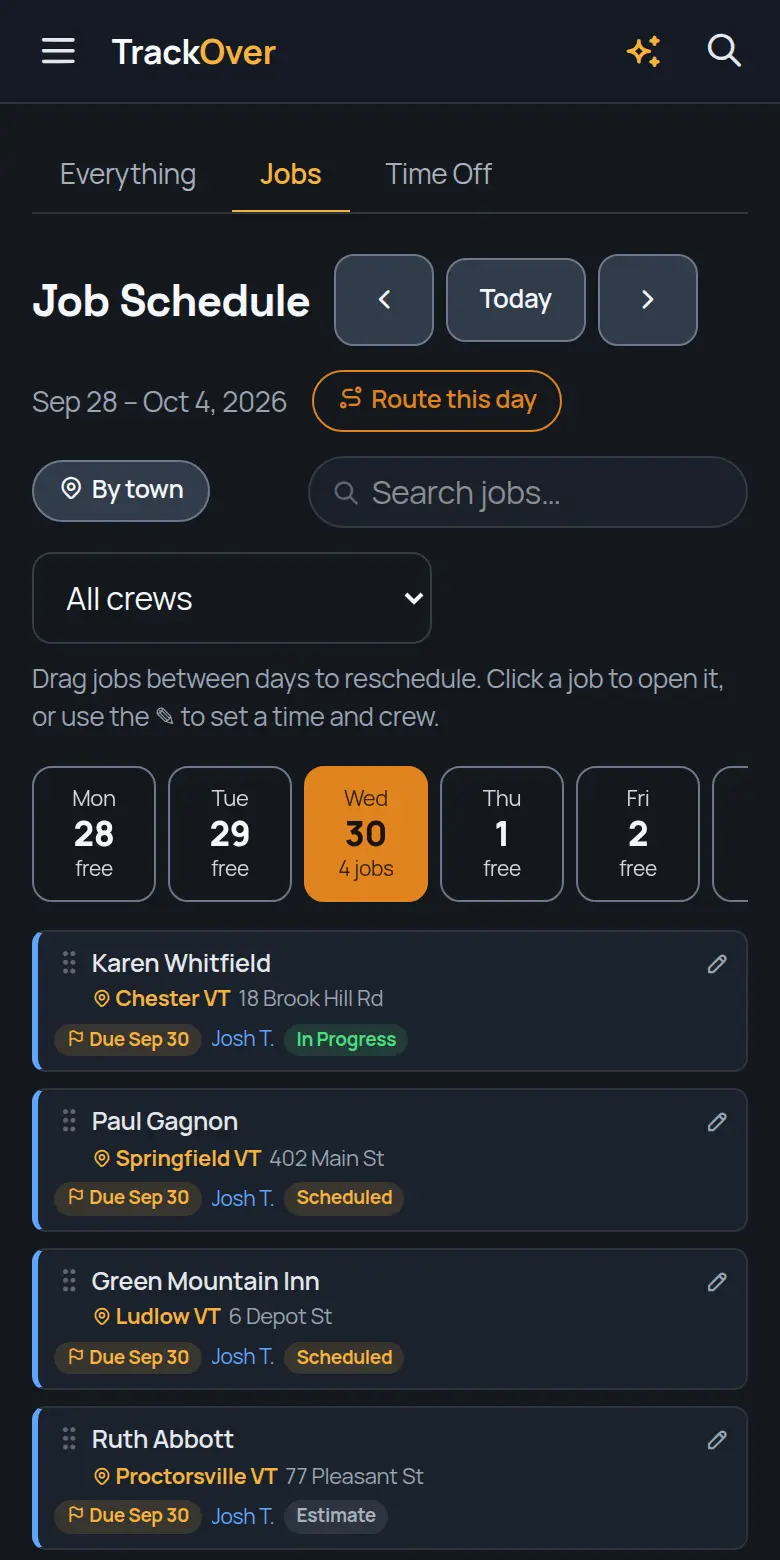
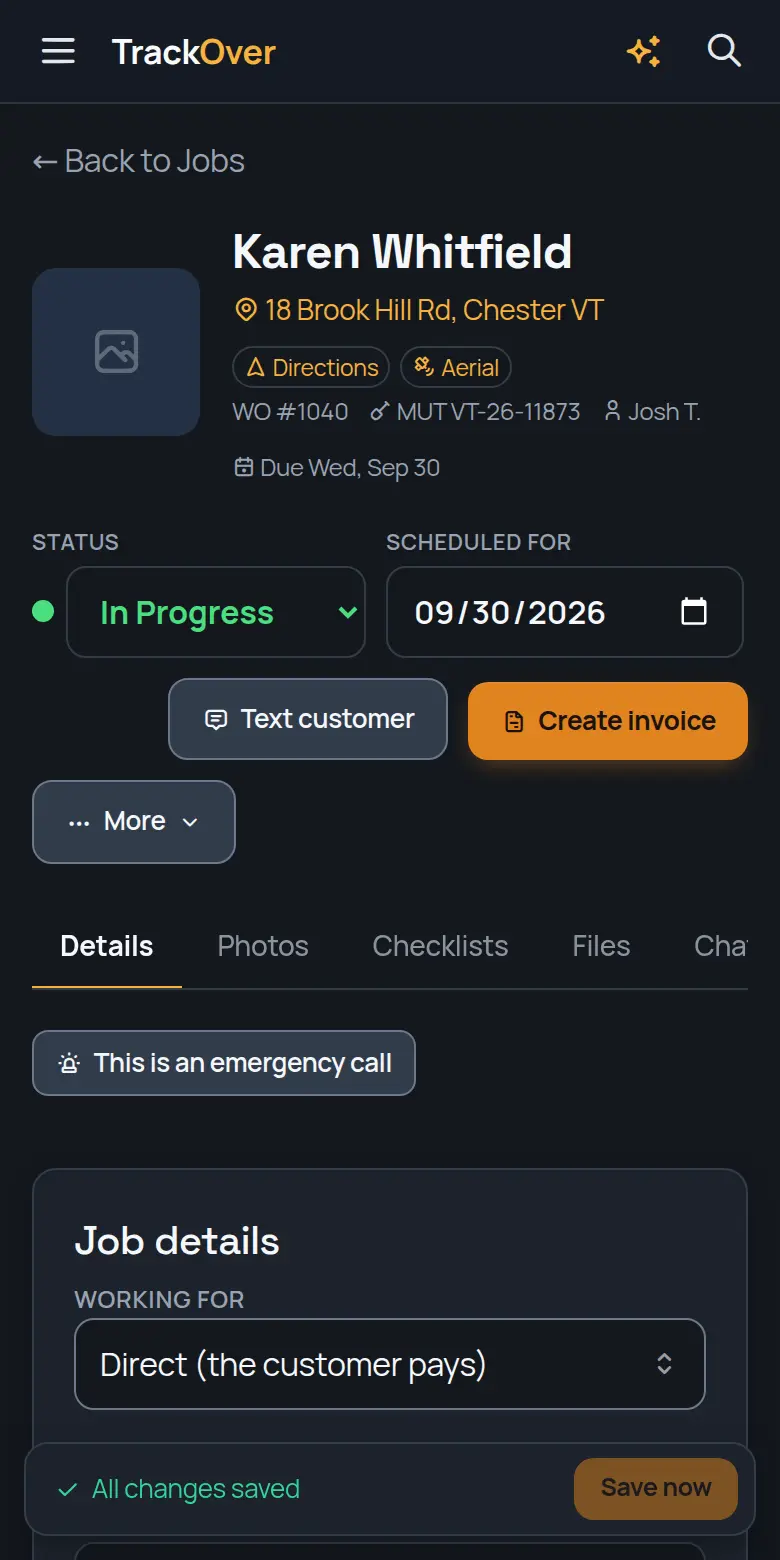
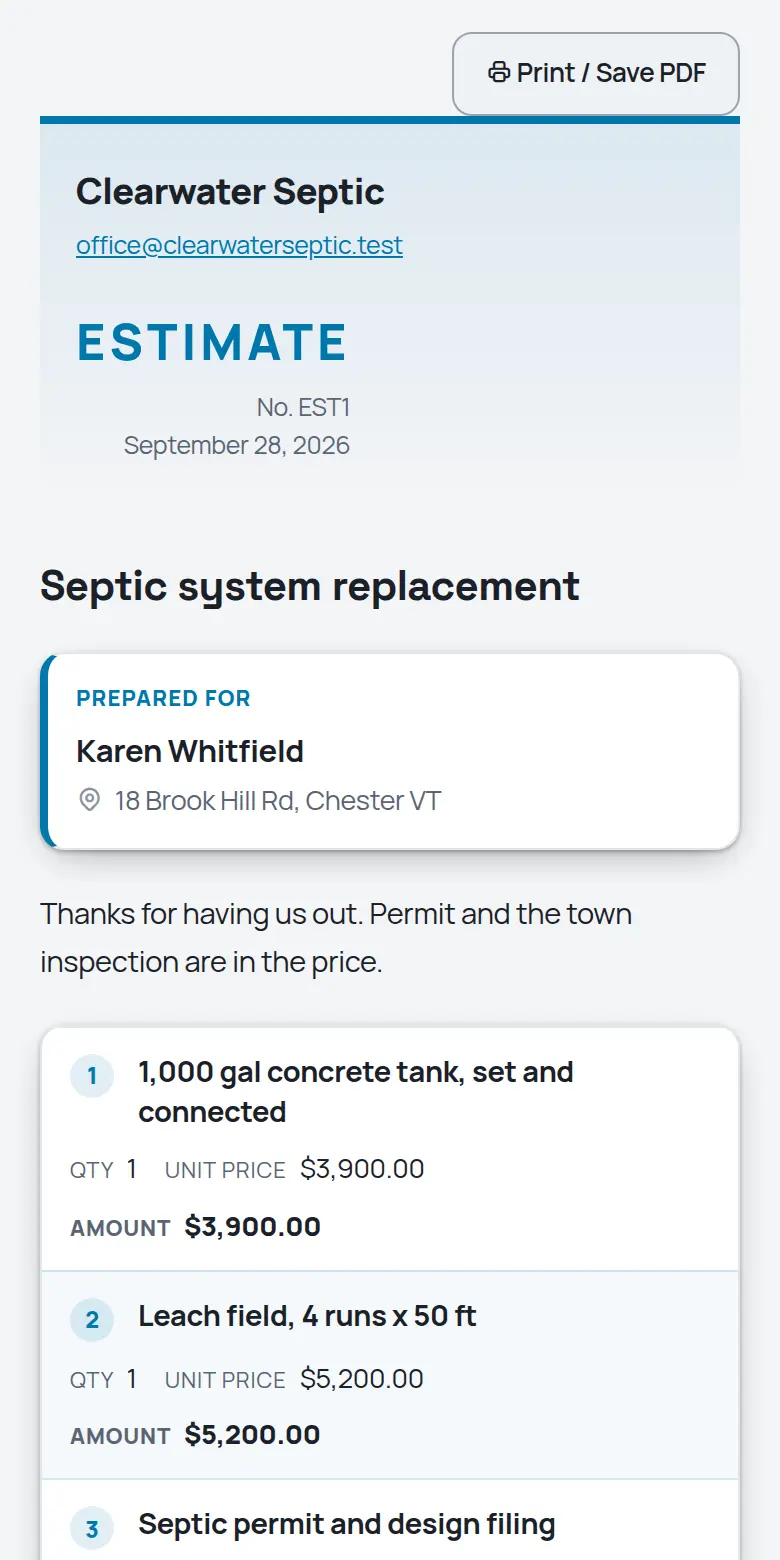
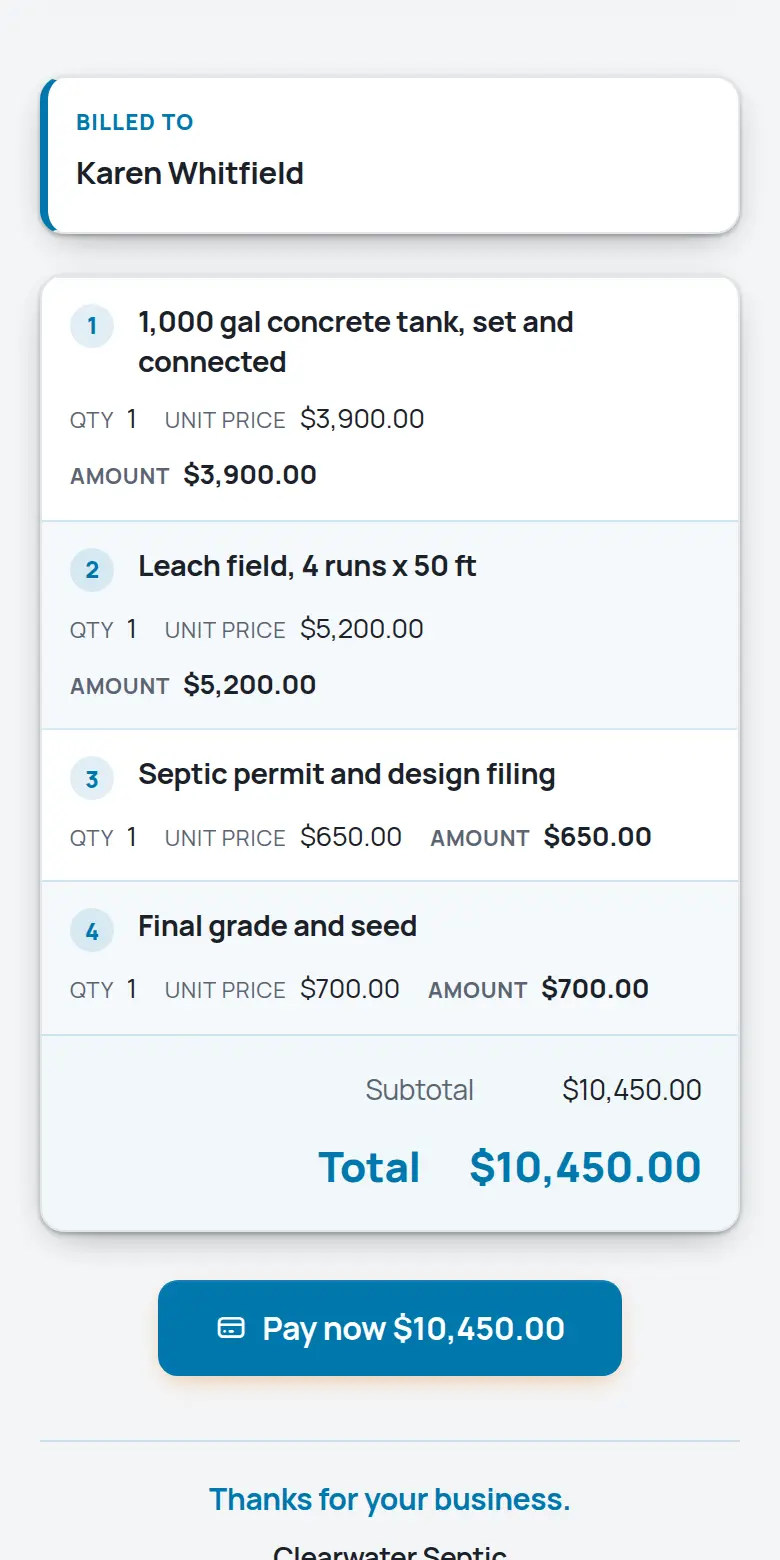
Real screens from the TrackOver app, with a sample company's jobs.
Septic work gets inspected, questioned, and dug up years later. TrackOver keeps the photos, permits, and sign-offs on the job record for as long as your account is active. Free plan at $0 with no card, then $25, $45 or $69 per user per month with a 3-seat minimum and a 7-day trial.
What you say on a bad day
The problem, and the screen that fixes it
“The health office wants the paperwork on a tank we set two years ago.”
Each job carries its permits: permit number, issued and expiry dates, the inspection date, and a checklist of the documents it needs. Install photos stay on the same job with their date and place.
It takes: Free plan. Free plan covers 3 jobs and 30 photos.
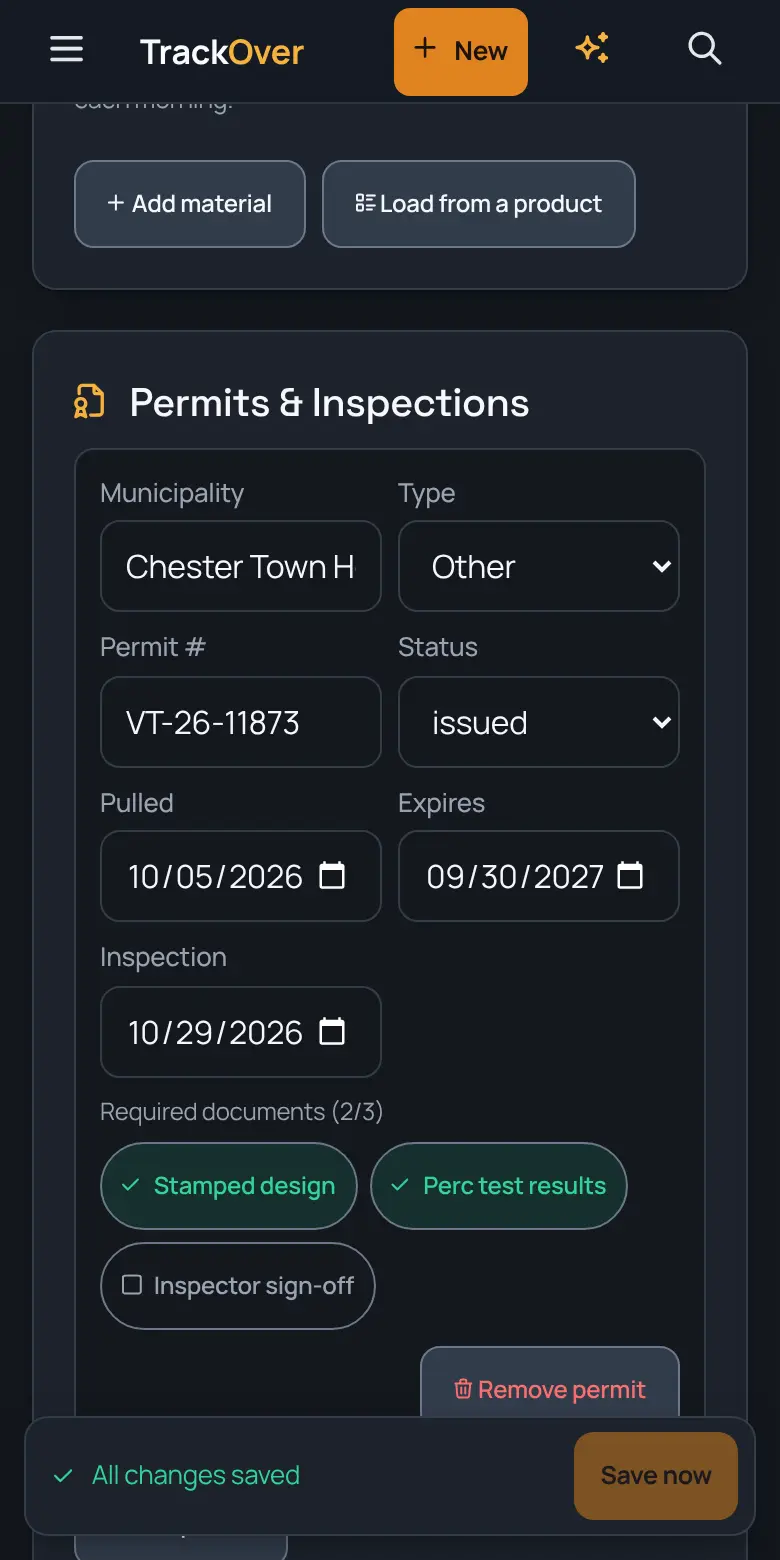
The permit and its paperwork, on the job “Pump-outs come due and nobody remembers.”
Set each customer's service weekly, monthly, quarterly or yearly. The job is created for you on the day it comes due, and you can skip the next visit or pause it.
It takes: Premium and up
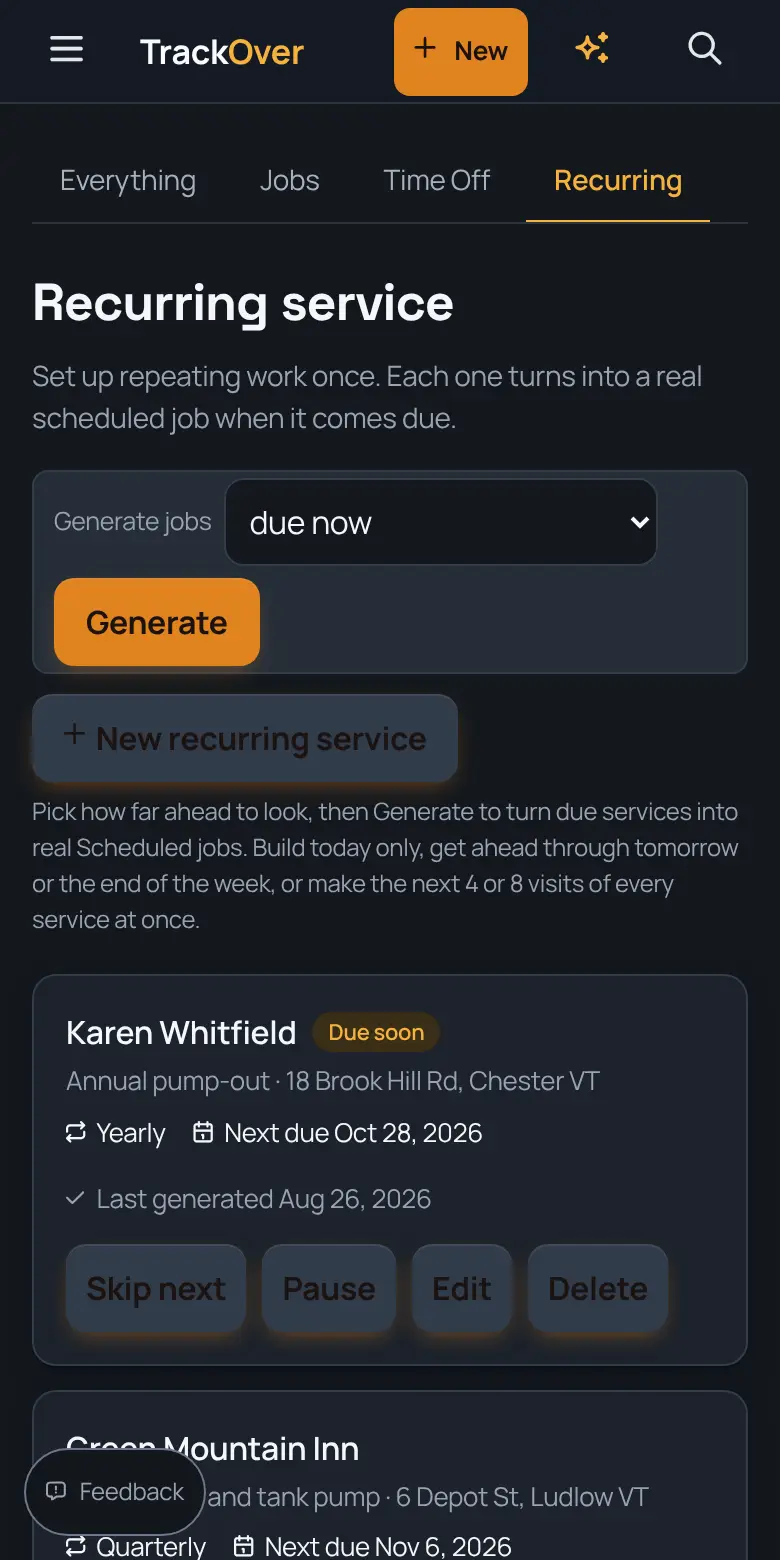
Repeat service, set once “The homeowner left and the invoice is still not out.”
The homeowner signs on the job page when the work is done, and Complete and invoice builds the invoice from the job. They pay from the link by card or bank.
It takes: Pro and up
The invoice, with a pay button
- No card to start
- Cancel any time, no contract
- Export your data whenever you want
What changes for septic crews
Customers pay from a text
Build the invoice from the job's hours and materials, text a link, and they pay from their phone. Overdue invoices get a reminder text for you, to customers who have agreed to texts.
Send the quote from the job site
Price it from your own price book on your phone. The customer signs online, and it turns into the job and invoice with no retyping.
Know your profit on every job
Quote against labor and materials used so far, live, with a warning when a job is on pace to run over.
- No card to start
- Cancel any time, no contract
- Export your data whenever you want
Sound like last week?
- “The health office wants the paperwork on a tank you set two years ago”
- “Pump-outs come due and nobody remembers”
- “The homeowner left and the invoice is still not out”
What it does for your crew
The same platform in the office and on every phone in the field.
- Permits on the jobPermit number, dates, inspection and a document checklist, on the job record and not in a truck folder. Free plan.
- Photos with date and placeEvery photo keeps its date, time, and who took it, plus GPS when the phone has a fix. Free plan holds 30, Pro and up are unlimited.
- Repeat serviceAnnual and quarterly pump-outs create their own jobs on the due date. Premium and up.
- Estimates and invoicesSend a link, they read it on their phone and accept, and pay from the invoice link. Pro and up.
What it costs
What a crew pays, with the math shown
An example crew of 3 (you and two on the crew) for septic installers. You pay per person who logs in, with a 3-seat minimum.
- Pro$75 a month3 x $25
- Premium$135 a month3 x $45Has every screen above
- Elite$207 a month3 x $69
There is also a Free plan (3 jobs, 30 photos, 3 users). No contract, and you can change plans anytime.
Your math
What does a slow week cost you?
Late invoices and paperwork nights have a price. Put in your own numbers.
Type your own numbers. They stay in your browser, nothing is sent anywhere.
From the first call to the last dollar
- 1
The call comes in
Add it as a job in a minute: address, contact, what they need.
- 2
The board gets it scheduled
Drag it onto a day and a crew. Their phones pick it up within a minute when the app is open and they have signal.
- 3
The field documents itself
Stamped photos, hours, and notes land on the job as the work happens.
- 4
The invoice goes out in one tap
One tap turns the finished job into an invoice with a pay link.
What we can honestly show you
- Every screen on this page is the real app, filled with a made-up sample company. None of those names, jobs or prices belong to a real customer.
- TrackOver's screens are laid out around a real job, from quote to paid invoice, not a design file.
- We do not print customer quotes we do not have. Try it on one of your own jobs, or book a free 30-minute call and a real person sets it up with you.
Fair questions
Can I find an old install fast?
Search by address or customer and the job opens with its permit, photos, notes and what was billed.
Do my subcontractors need accounts?
Only people who log in need seats. You can share photo galleries by link, on the Premium plan.
Is my data mine?
Yes. Export everything anytime as CSV files in one zip. Photos and documents come as a list with a link to each file.
My customers are homeowners who are not online. Does the link work for them?
The estimate and the invoice go out as a link they open on their phone. They accept, and pay by card or bank from the invoice link. If someone would rather hand you a check, record the check or cash on the invoice.
We keep our books in QuickBooks. Will this mess with them?
No. The QuickBooks connection starts import-only: TrackOver reads from QuickBooks and never writes, edits or deletes anything there. Sending invoices is off until the owner turns it on and confirms a preview of exactly what will go.
What does it cost?
Plans are per person per month: Pro $25, Premium $45, Elite $69, with a 3-seat minimum. There is also a Free plan with 3 jobs, 30 photos and 3 users that needs no credit card and does not expire. Plans are billed monthly with no annual contract, and you can change them whenever the season changes.
What happens when the 7-day trial ends?
Nothing is charged, because no card was asked for. If you don't pick a paid plan, the account moves to the free plan and your jobs and photos stay where they are. Paid features go back to showing an upgrade prompt, and the owner or a manager can pick a plan on the Billing page whenever they are ready.
Can someone set it up with me?
Yes. Book a free 30-minute setup call and we set up your company and price list with you, and your first real estimate goes out before we hang up. You can also start on your own, since the app has a getting-set-up checklist, so the call is optional.
Tonight could be different
Try it on one real job: add it, snap some photos, send the invoice, and see if your crew likes it. 7 days free, and your data stays yours either way.
Start your 7-day free trial- No card to start
- Cancel any time, no contract
- Export your data whenever you want
Want a hand? A real person sets it up with you on a free 30-minute call.
On day 8 nothing is charged, because no card was asked for. Without a paid plan the account moves to Free (3 jobs, 30 photos, 3 users) and what you entered stays.
Free calculators for septic work:
Free templates for septic work:
Looking for septic work or a crew? Free on the work board:
Dig into the tools:
Setup how-tos, step by step:
Comparing software? Fair comparisons, with each tool's own pricing page linked:
Not sure septic is your fit? Take the 5-question quiz or see plans and pricing.
Related trades:
Other trades we build for: