Jobs, crews, site photos and invoices in one app
Get set up on a free 30-minute setup call with a real person
We set TrackOver up with you: your company, your price list, and your first real estimate sent to a real customer before we hang up. You pick the time of day. No card needed.
The 7-day trial needs no card, and you can cancel any time.
Look around first
See a water main job, start to finish
Real screens from a sample excavation company. No email, no call.
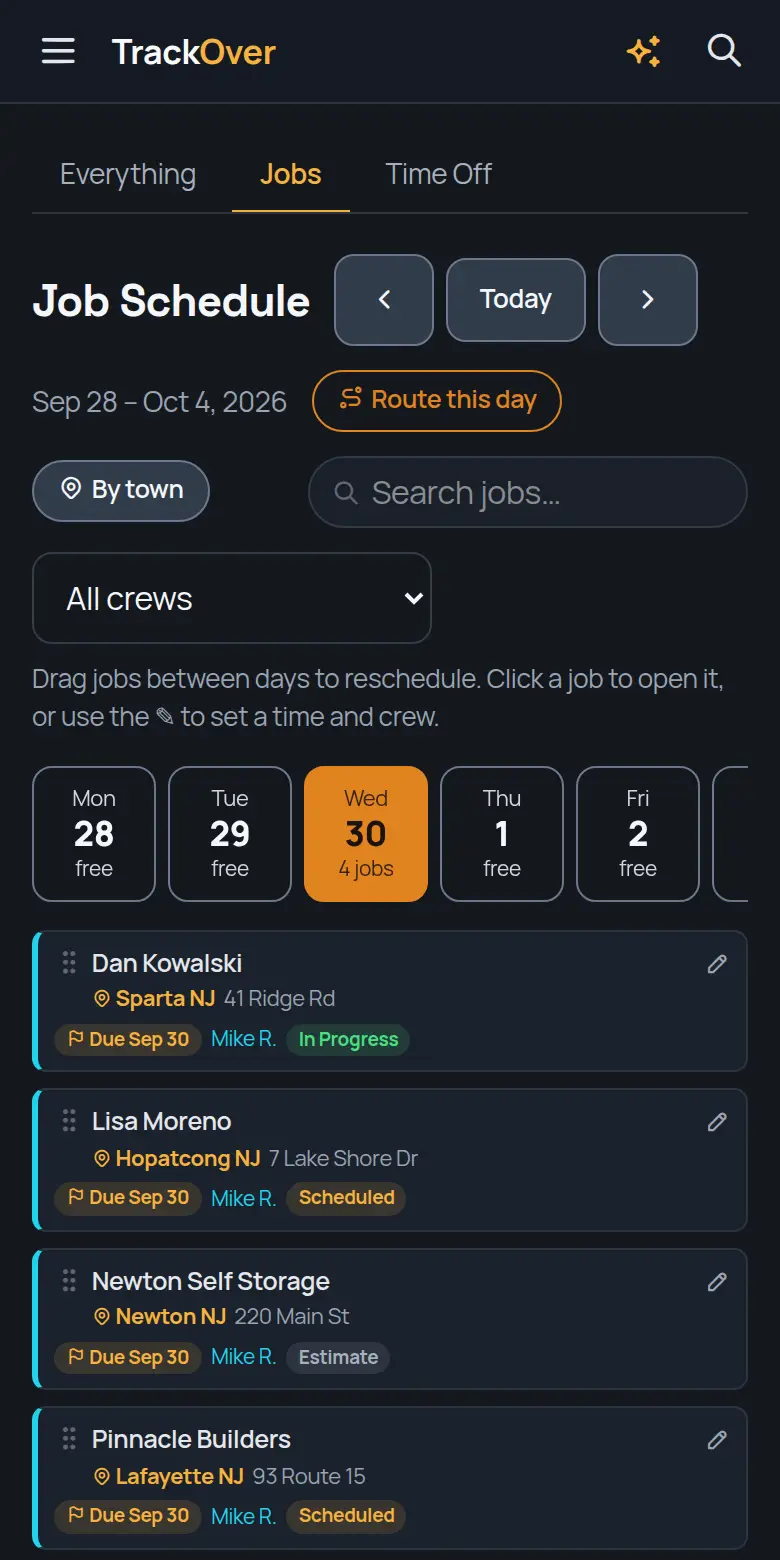
Screen 1 of 6
Today's board
Every job on the week, with the crew on it. Drag a job to another day.
Sample company and made-up customers. Your own jobs and prices go in the same screens.
Request your setup call
Takes a minute. You pick the time of day, and we call you.
- Not sure it fits your crew? We set it up around one of your real jobs and you see it work.
- Don't have your price list handy? We build it with you on the call.
- Not ready to talk? Start the free trial and look around. You can ask for the call later.
- Wrong time? Reply to the confirmation email with a day and time and we'll work around you.
What happens on the call
- A real person, about 30 minutesA real person from TrackOver does the call, shaped around your trade and your jobs, not a script.
- Your company, set up with youWe put in your company details and your crew's names while we talk.
- Your price list, built with youBring what you charge, or just tell us. We enter it with you so estimates use your numbers.
- Your first real estimate, sentWe write it and send it to a real customer before we hang up.
- Your old data, if you want itMoving off CompanyCam, ClockShark or spreadsheets? We will help you load your customers and jobs from a CSV or Excel file.
What your crew and office will use
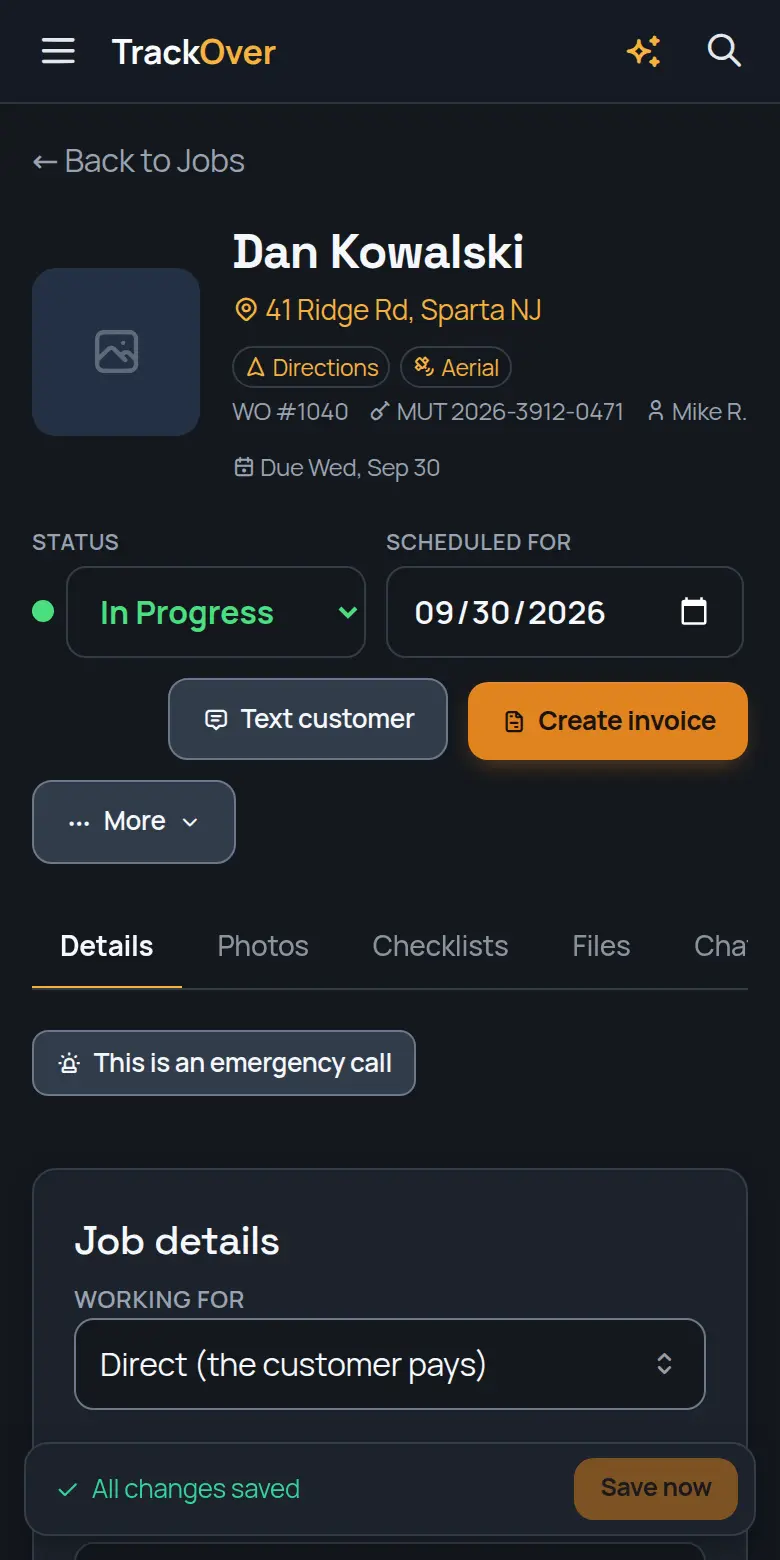
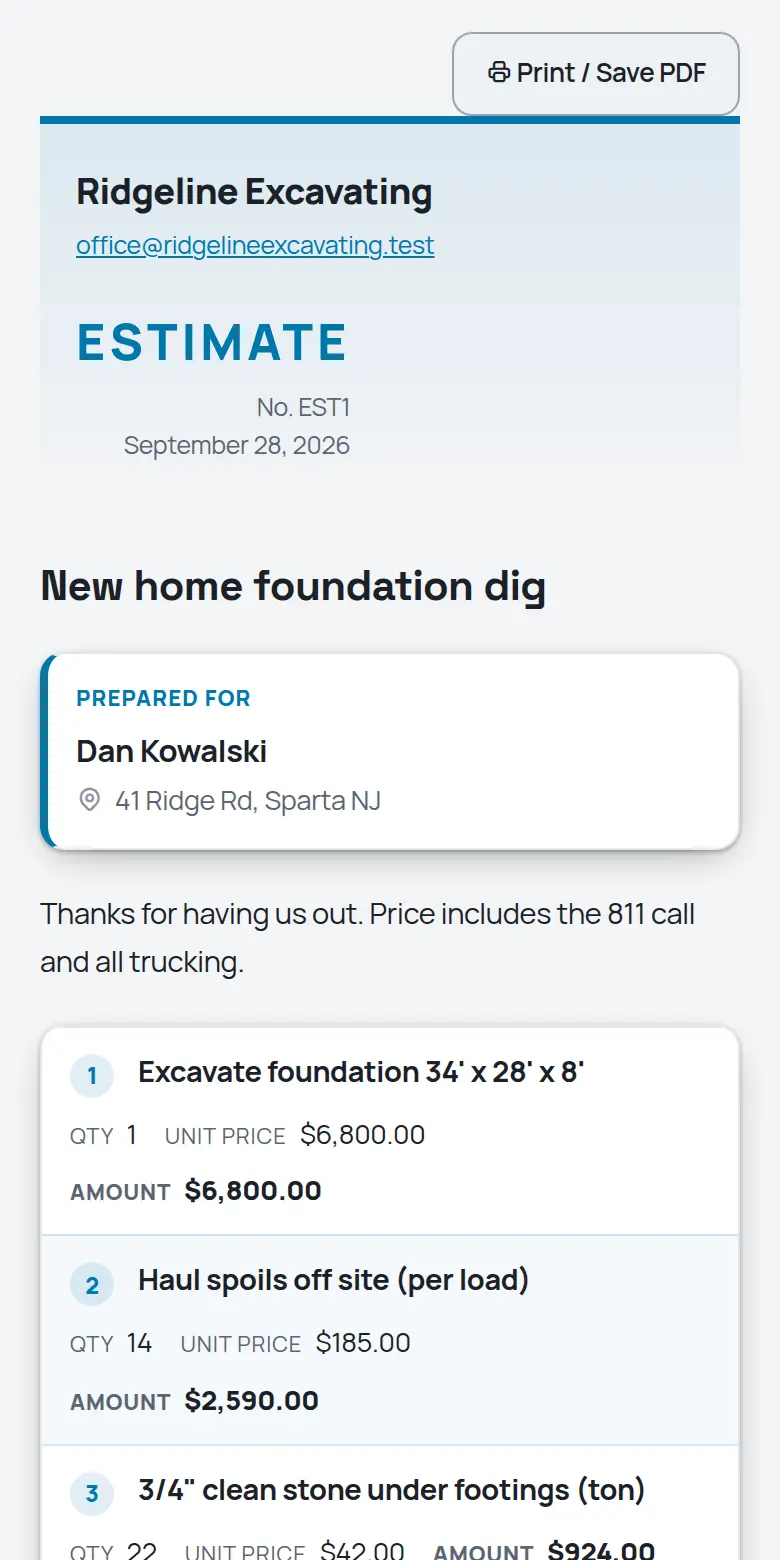
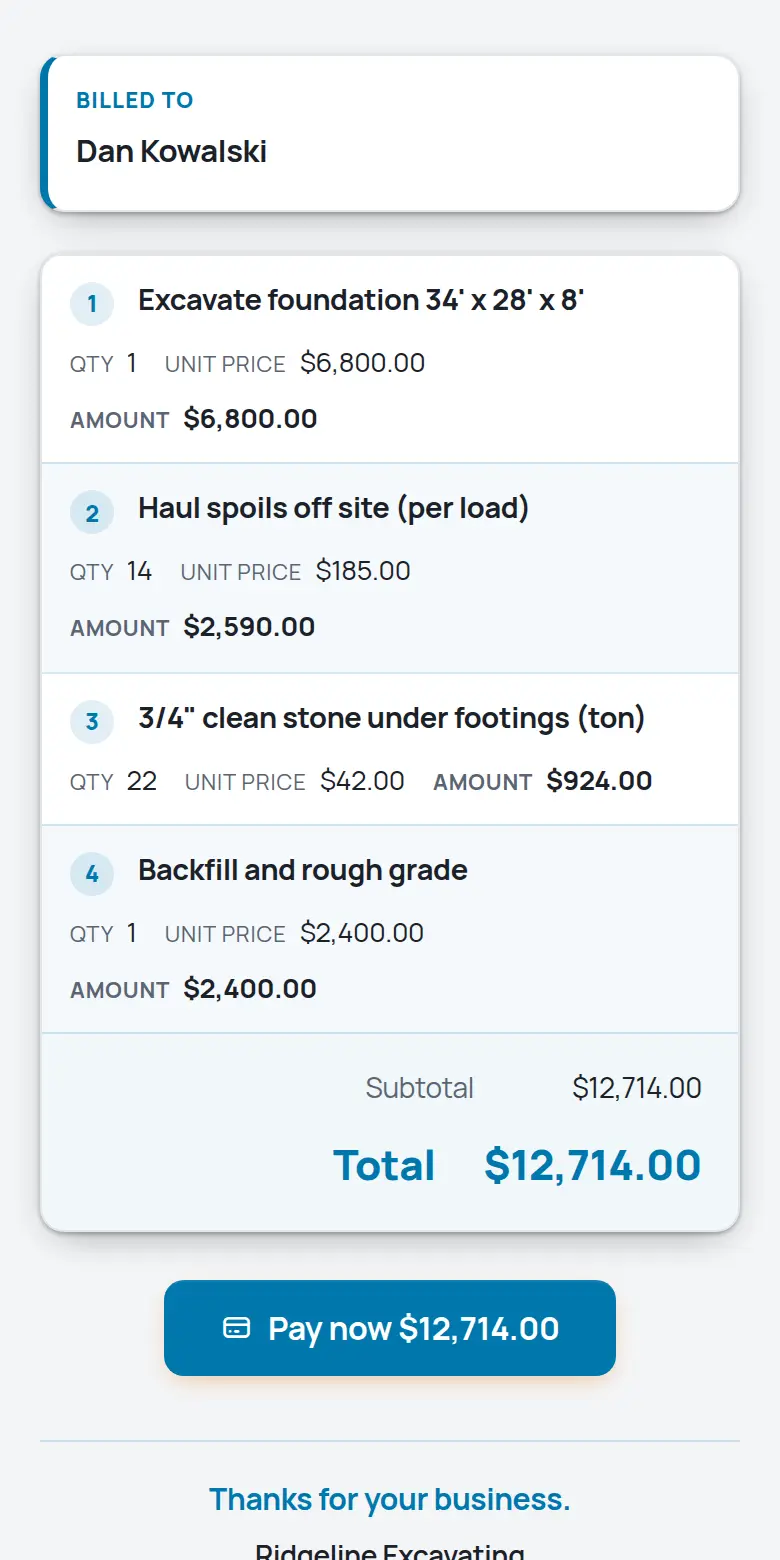
Real screens from the TrackOver app, with a sample company's jobs.
Fair questions
What is TrackOver?
One app for contractors that runs the job: estimates from your own prices, the crew schedule, stamped site photos, hours, and the invoice with a pay link. The office uses it on a computer and every crew member on their phone.
What happens on the call?
We set up your company and price list with you, then write and send your first real estimate to a real customer. It takes about 30 minutes and it's shaped around your trade.
Do I need a card?
No. The call is free, and the 7-day trial your account starts with needs no card. If you don't pick a paid plan, the account moves to the free plan and keeps your jobs.
Who is on the call?
A real person from TrackOver. Not a sales script.
Can you bring my data over?
Yes. CompanyCam projects and photos come in through Integrations. Customers and jobs from ClockShark or a spreadsheet come in from a CSV or Excel file, and we will help you map the columns.
Book your free setup call or start a 7-day free trial on your own
The setup call is free, and no card is needed.