Ask your business a question, get a straight answer
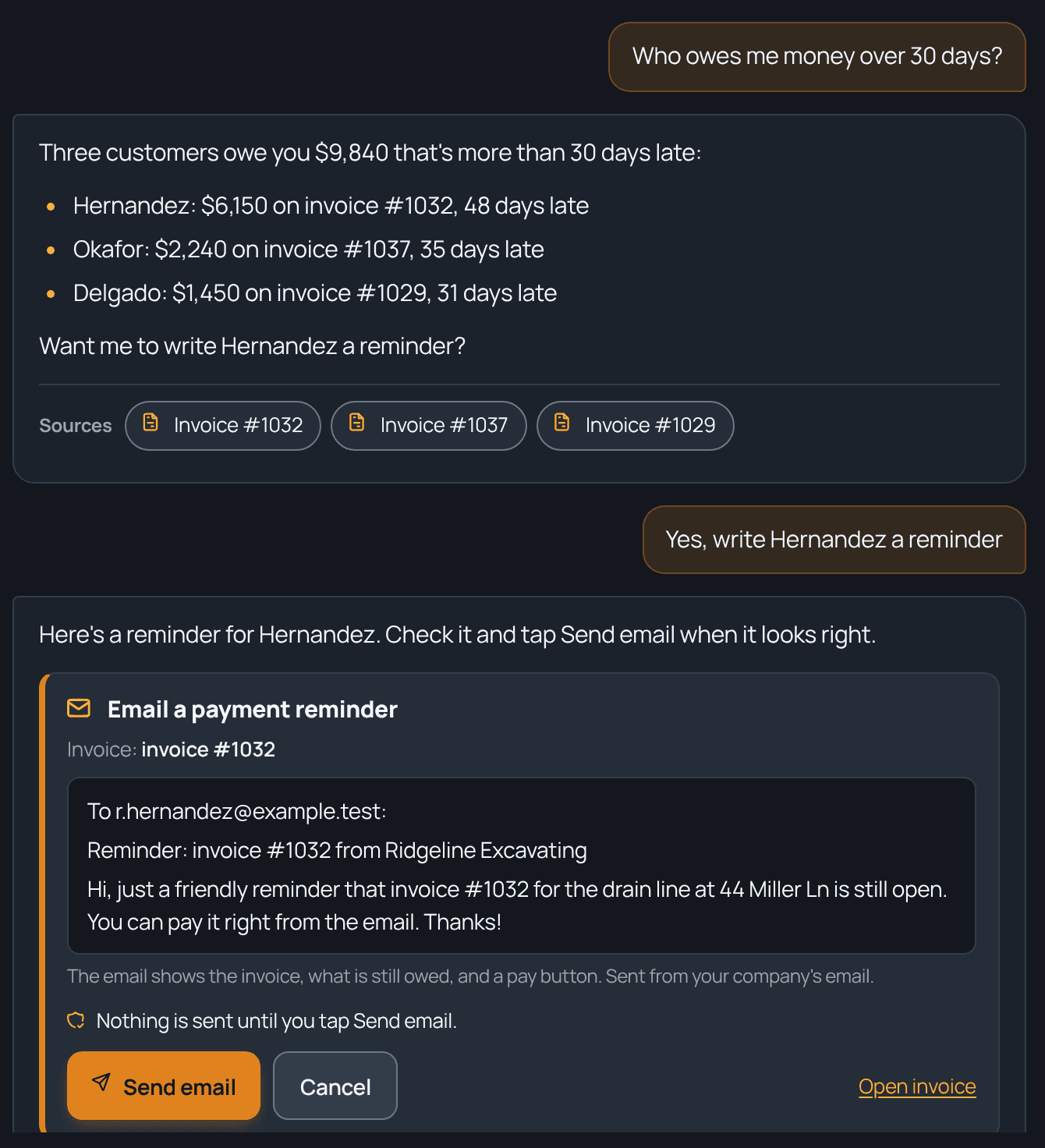
Type the question the way you'd ask your office manager: who owes me money over 30 days, which crew made the most profit last month, what's on tomorrow. Ask TrackOver looks it up in your own jobs, invoices, schedule and timecards and answers in plain words. When something needs doing, like a payment reminder, it writes it up and waits for you to tap Send.
Sound familiar?
How TrackOver handles it
Who owes you
"Who owes me money over 30 days?" gets you the customers, how much each owes, and how late, biggest first.
Which crew made money
"Which crew made the most profit last month?" compares your crews on the jobs billed that month, from the same job costing numbers you see on each job. Ask by job type or customer too.
What's on tomorrow
Ask what's on tomorrow or this week and see the jobs, the crews, and the addresses without opening the board.
A payment reminder in one tap
Ask it to nudge a customer, and it writes a friendly reminder email for an open invoice. You see the exact email and address, and nothing goes out until you tap Send.
Texts and job notes, ready to go
It can draft a text to a job's customer or a note on a job for you to confirm. Customers who opted out of texts are never texted.
It can't go rogue
It doesn't delete anything, take payments, or change settings or your team, and it never changes or sends anything until you tap Confirm.
Common questions
Where do the answers come from?
Your own TrackOver data: jobs, customers, invoices, estimates, leads, schedule, and timecards. It links to what it read so you can check.
Can my crew use it?
Yes, with crew-sized answers: their jobs today, their hours, and how to do things in the app. Money questions are for owners and managers.
Which plan is it on?
Ask TrackOver is part of the Elite plan.
It all works together
See how ask trackover fits your trade: