See the tight week coming before it gets here
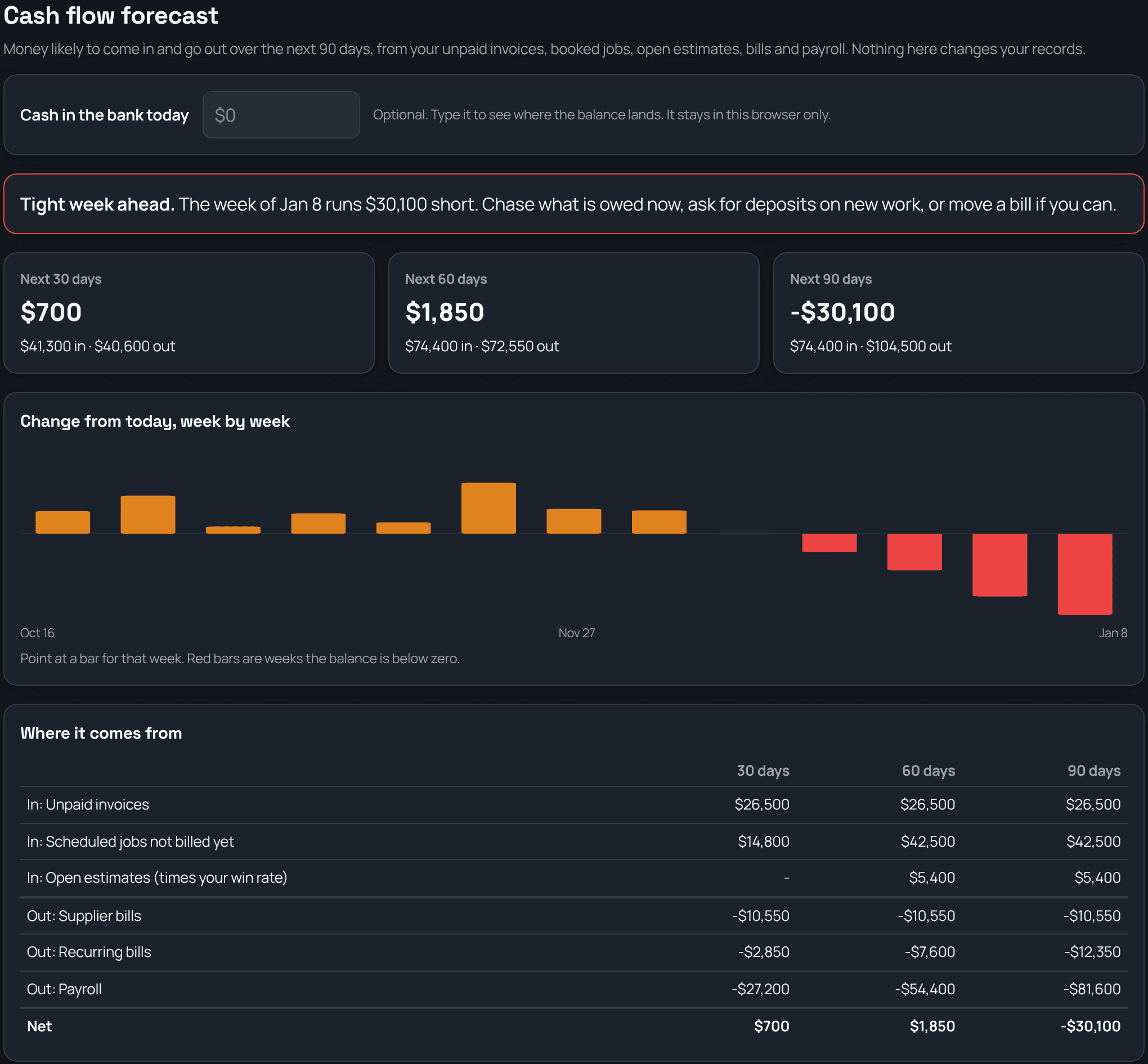
TrackOver adds up what's likely to come in and go out over the next 30, 60 and 90 days: unpaid invoices, booked jobs you haven't billed yet, open estimates, supplier bills, recurring bills, and payroll. It shows the balance week by week and calls out the week it gets tightest, while there's still time to chase what's owed or ask for a deposit.
Sound familiar?
How TrackOver handles it
Next 30, 60 and 90 days
Money in, money out, and where it nets out for each, with a week-by-week bar so you can see the dip before you're in it.
Paid when they usually pay
Unpaid invoices land on the day that customer usually pays, from their own history, not the due date they ignore.
Booked work counts too
Jobs on the schedule that aren't billed yet count after they finish, and open estimates count at your real win rate.
Bills and payroll on their days
Supplier bills on their due dates, recurring bills like truck payments on the day they come out, and payroll from what your crew actually clocks.
The tight week, called out
When a week runs short, it says so in plain words: chase what's owed now, ask for deposits on new work, or move a bill if you can.
For the people who see the money
Only owners and managers who can see all the money get this screen. Type your bank balance to see where it lands; that number stays in your browser.
Common questions
Do I have to enter anything?
No. It reads your invoices, schedule, estimates, bills, and timecards. Typing today's bank balance is optional.
How does it guess when customers pay?
From each customer's own past invoices. New customers use your company's average days to pay. The screen shows every assumption it made.
Does it change my books?
No. It's read only. Nothing on it changes an invoice, a bill, or a payment.
It all works together
See how cash flow forecast fits your trade: