Send a statement
A statement puts every open invoice for one customer on one page, with the balance and how old it is. Good for a customer with several jobs.
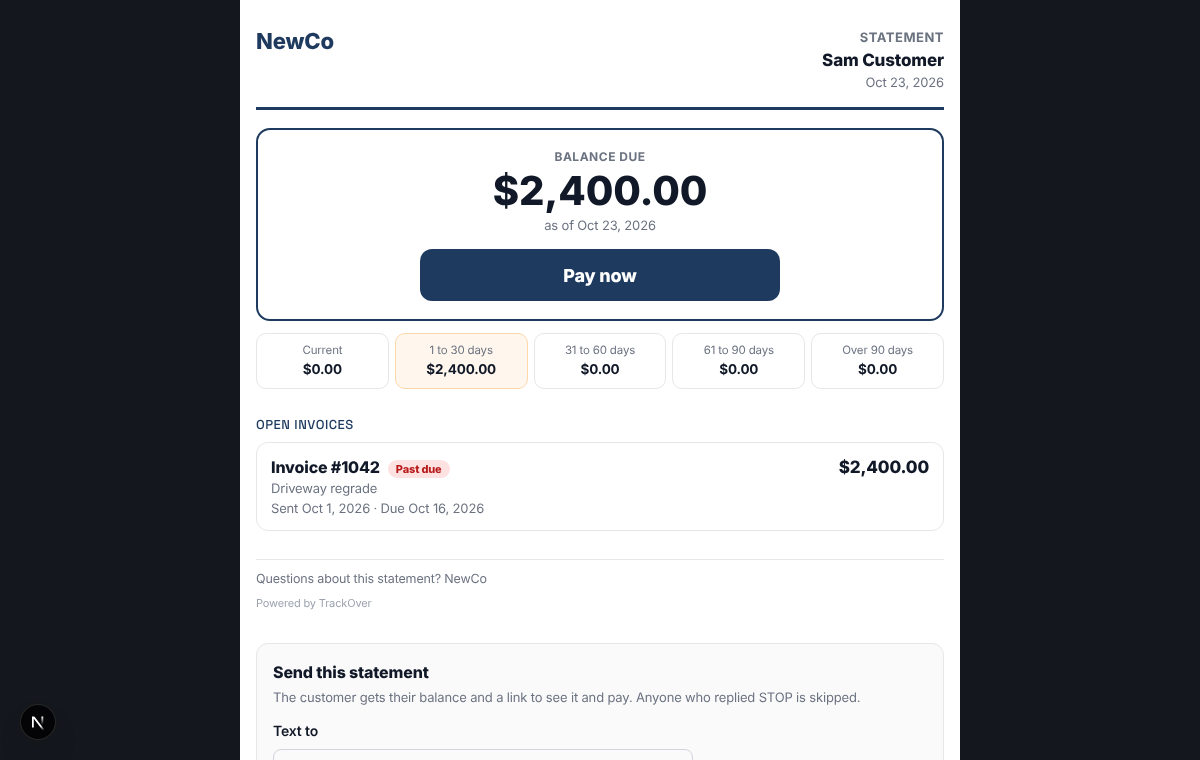
1. Open the statement
On the Invoices page, use the statement link on a customer's invoice. You can also open it from the customer's record.
2. Read it
The page leads with Balance due, then how old the money is, then each open invoice. Part payments are already taken off.
3. Send this statement
Under Send this statement, type the customer's mobile number and press Text the statement. They get their balance and a link to pay. To email instead, pick a Month, press Make statement, then Email it. The email carries a PDF for that month. Anyone who replied STOP is skipped.
4. Or print it
Press Print / Save PDF for a copy to mail or keep.
Pro tip: You can also set a monthly statement by email for customers who always run a balance.