Run a report
Reports answer the questions you ask at month end: who owes me, what did I make, what do I owe. Owners and managers see them, on the Premium plan and up.
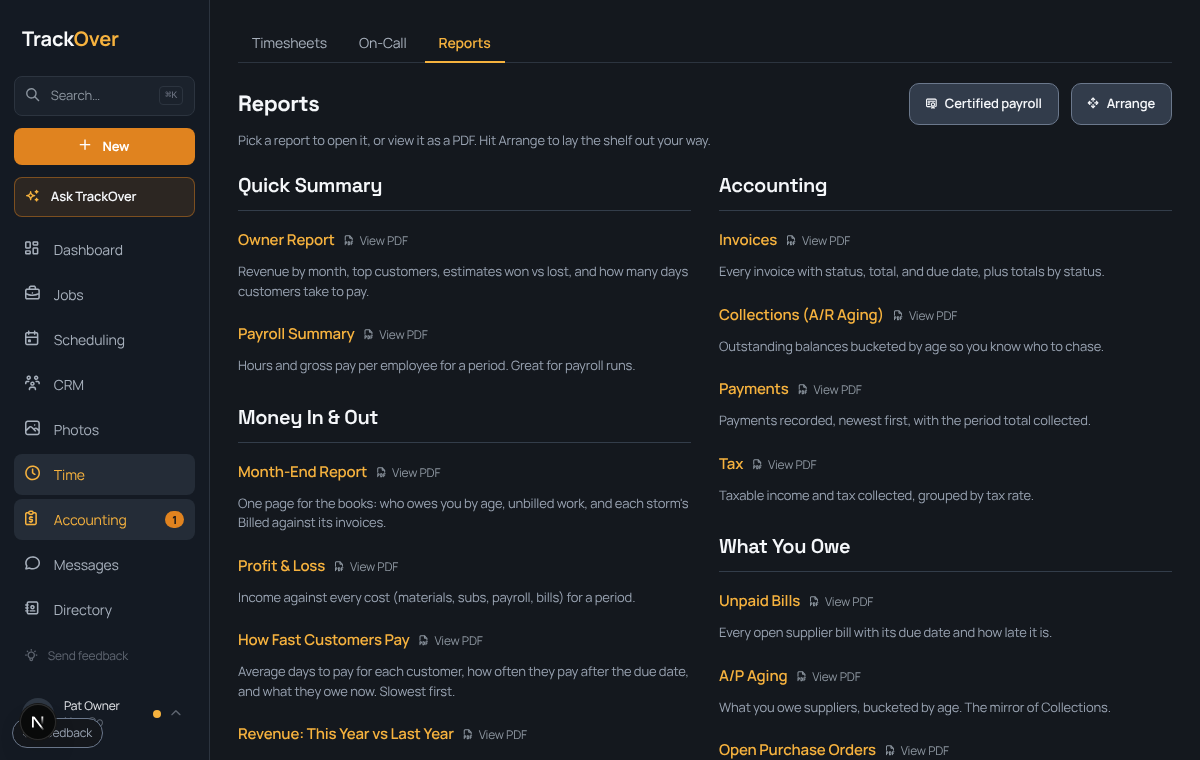
1. Open Reports
Go to Money, then the Reports tab. Reports are grouped by what you want to know.
2. Pick one
Click a report's name to open it. Try Collections (A/R Aging) to see who to chase, or Profit & Loss for the month.
3. Save a copy
Press View PDF beside any report for a copy to print or send your bookkeeper.
4. Lay it out your way
Press Arrange to move the reports you use most to the top.