The customer portal
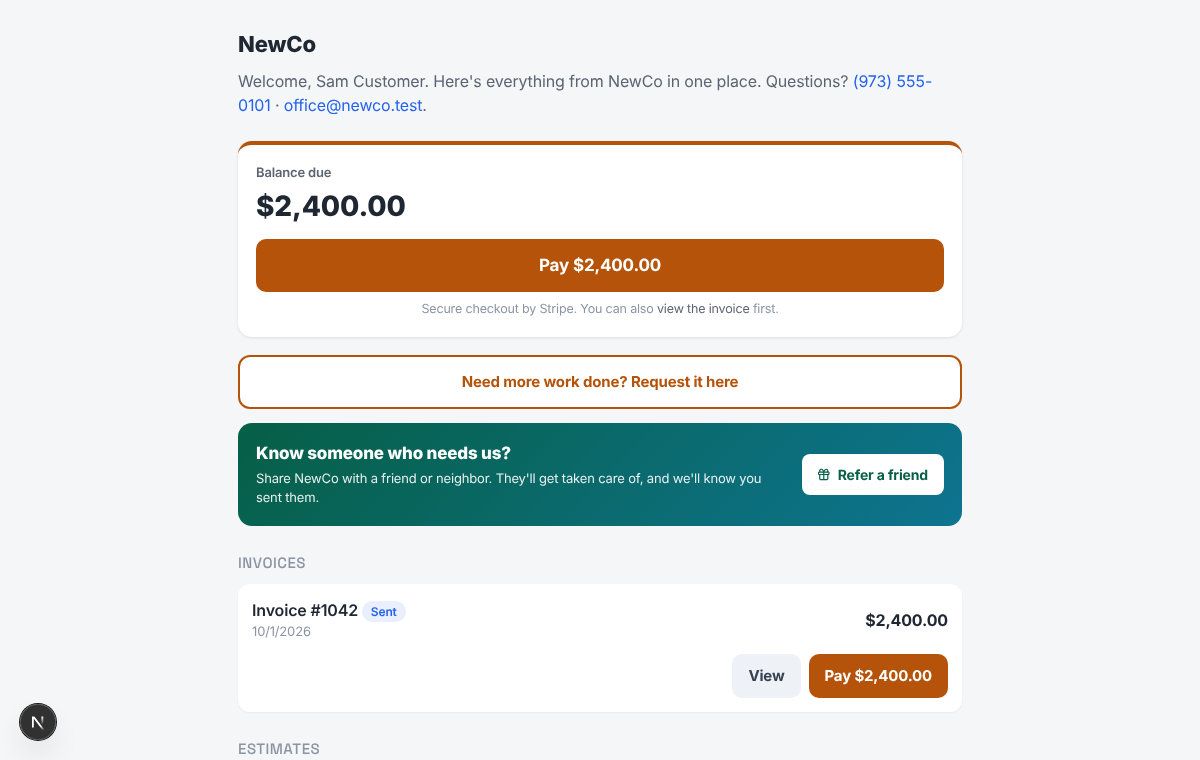
Every customer gets a private link, no password. On it they see their invoices and estimates, pay, and send you a message.
1. Open the customer
In CRM, open the Customers tab and click the customer.
2. Get portal link
Press Get portal link. It is copied for you. Paste it into a text or email.
3. What they see
The balance due and a Pay button, their invoices and estimates, and a way to request more work or message you.
4. Read their replies
Their messages land on the customer's record under Portal messages.
Pro tip: If a link ends up with the wrong person, make a new one. The old link stops working.