Ask TrackOver
Ask a question in plain words. It looks up your own jobs, invoices and schedule and shows where the answer came from. Ask TrackOver is on the Elite plan.
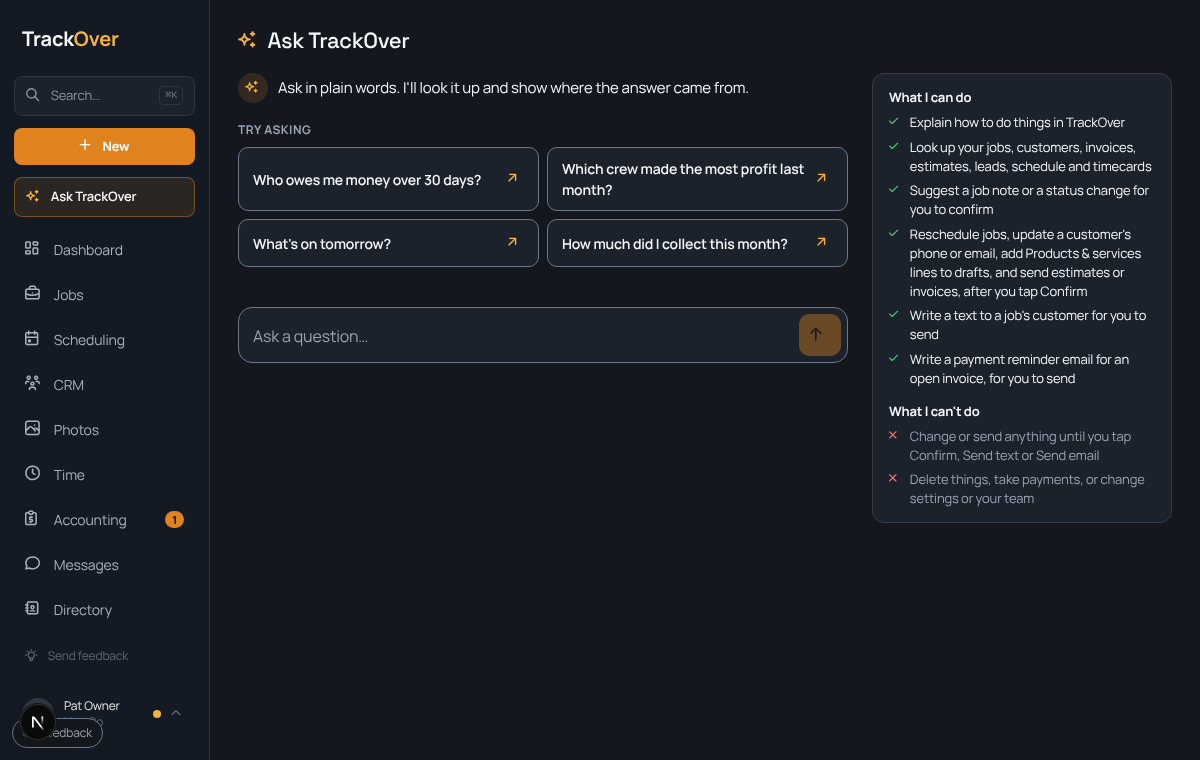
1. Open it
Press Ask TrackOver at the top of the menu.
2. Ask
Type a question like Who owes me money over 30 days? or What's on tomorrow? Or tap one of the examples.
3. Read the answer
It shows what it found and where it came from, so you can check it.
4. Let it do small jobs
It can suggest a job note, reschedule a job, or write a text or a payment reminder. Nothing changes or goes out until you tap Confirm, Send text or Send email.
Pro tip: It will not delete things, take payments, or change settings or your team. For the office chores it can do after you tap Confirm, see What Ask TrackOver can do for you.